01 · Control room
Today’s dashboard
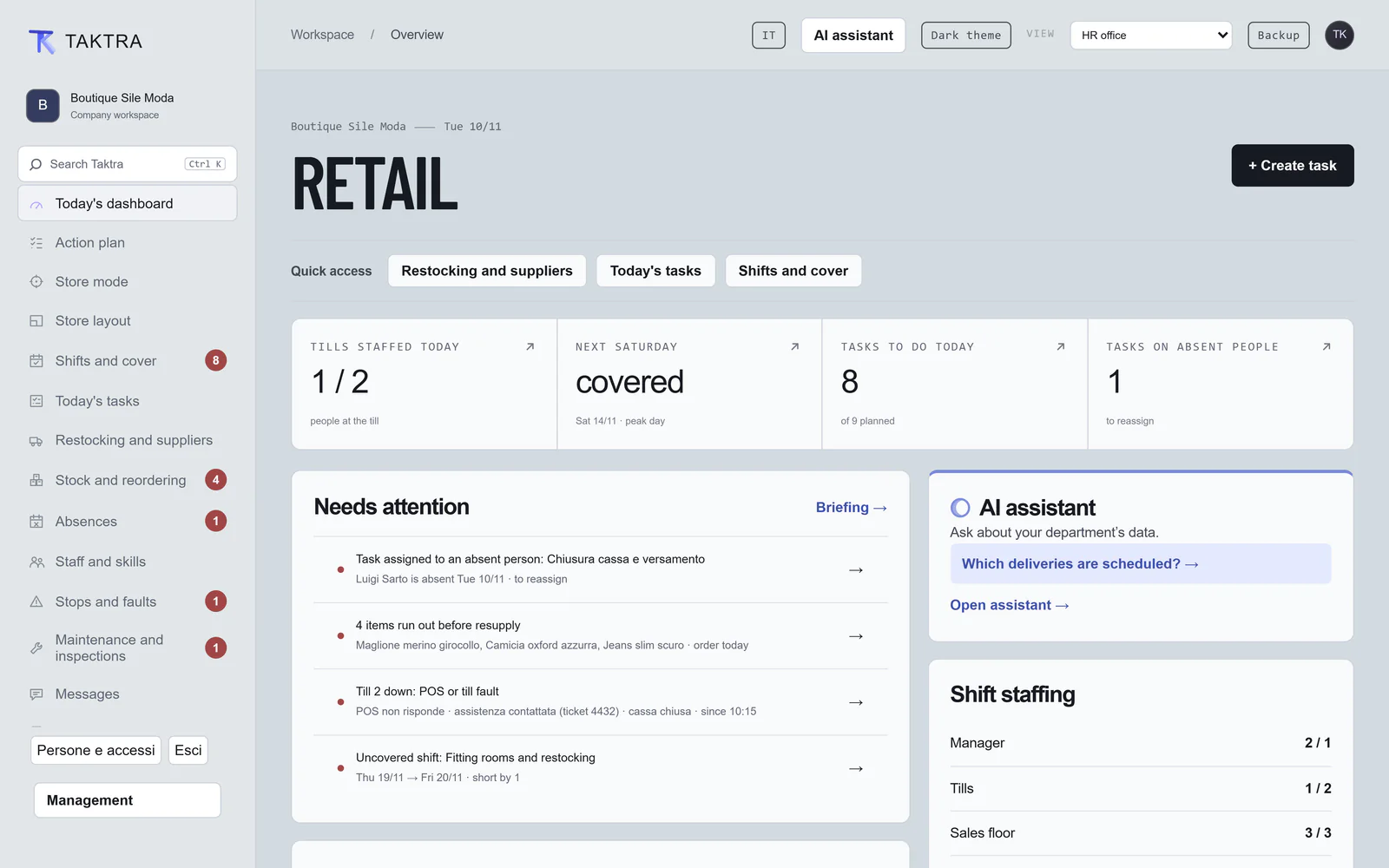
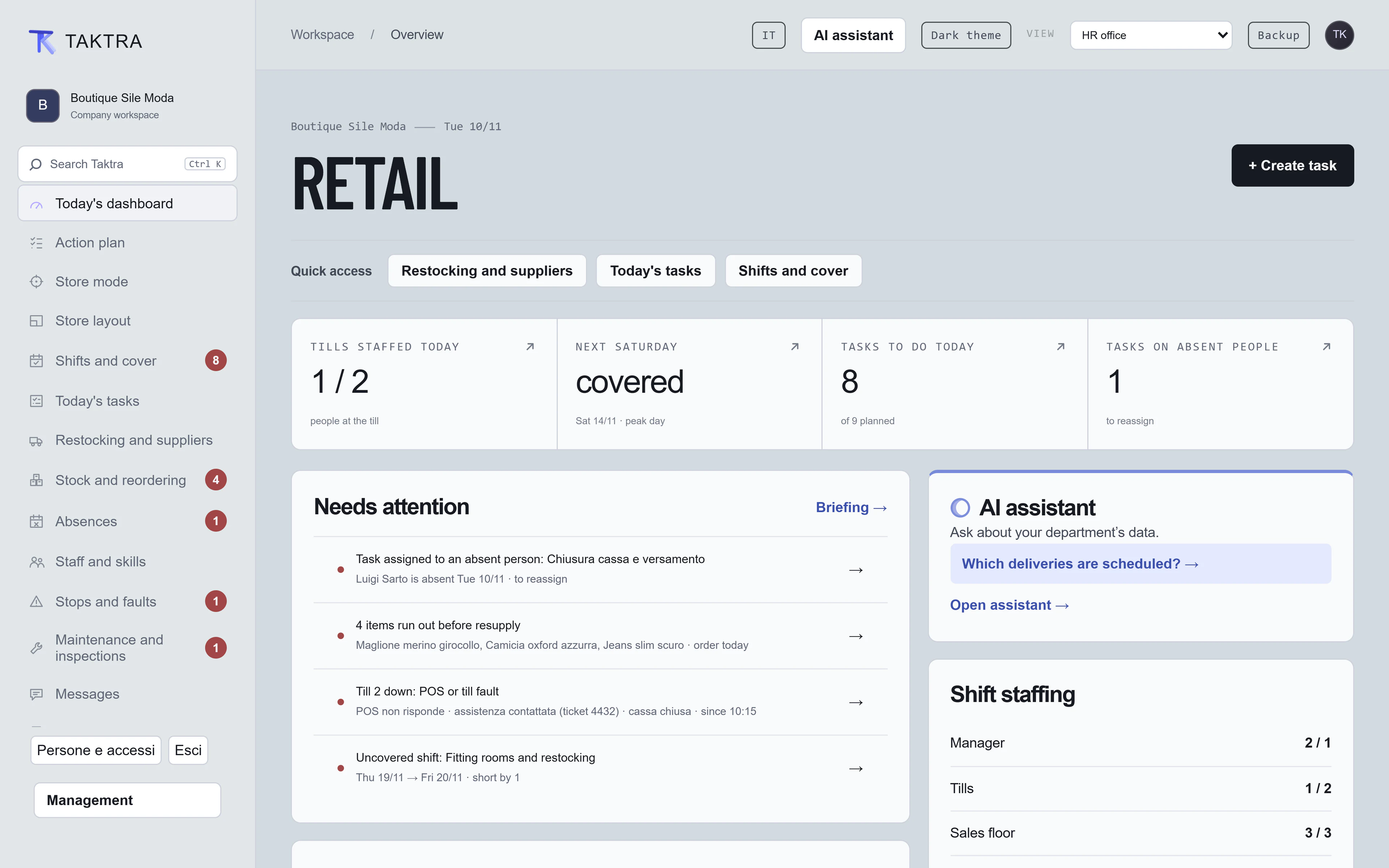
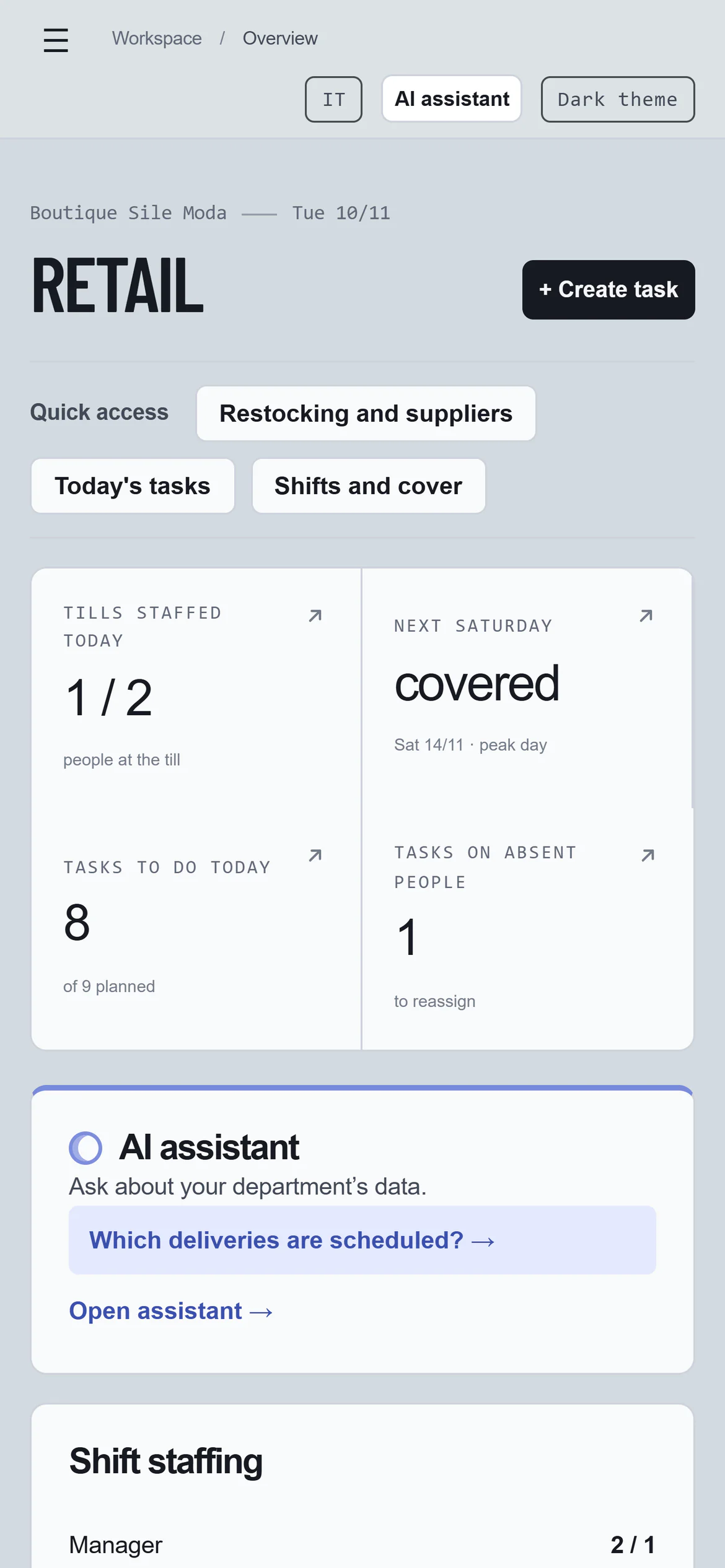
Tills staffed today, cover for next Saturday, tasks to do and tasks left with absent people. Quick access to restocking, tasks and shifts.
Retail stores
Who is in store, what has to be done today and how sales went. To see whether staffing is right on the days that matter.
Opens at once with sample data: no sign-up, no card.
Every morning
Today’s dashboard opens with tills staffed, cover for next Saturday, the tasks to do today and those left with absent people. Below, “Needs attention”.
Real examples from the “Needs attention” list in the sample workspace.
Sound familiar?
Inside the app
Scroll: the screens come apart. Each layer is a piece of the day, and they all read the same data.
18 modules
Shifts, tasks, goods and sales read the same data. There are no job orders here: there are tills, departments, window displays and peak days.
The day, before it starts.
Tills staffed today, cover for next Saturday, tasks to do and tasks left with absent people. Quick access to restocking, tasks and shifts.
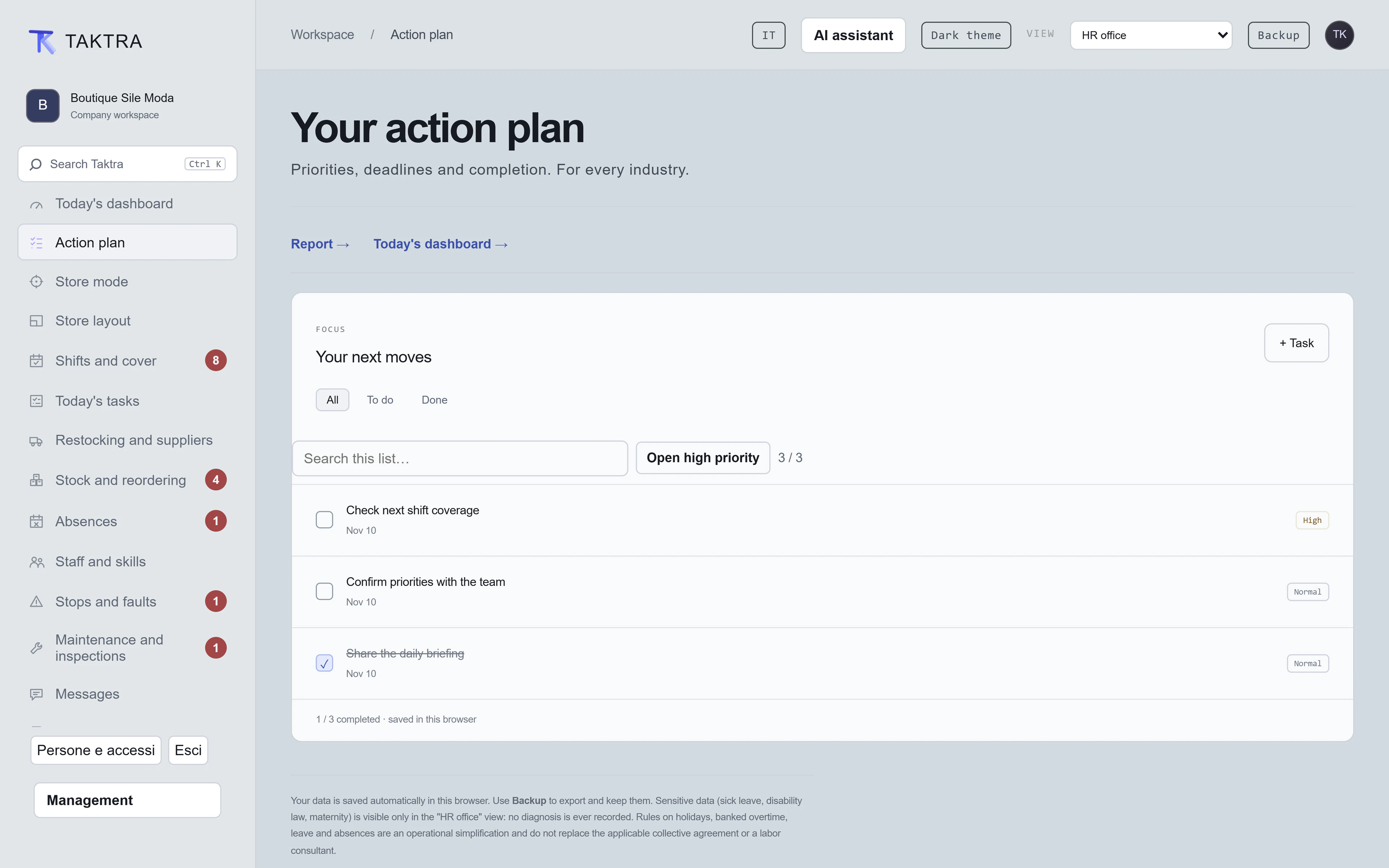
Your next moves with priority and due date, ticked off one by one.
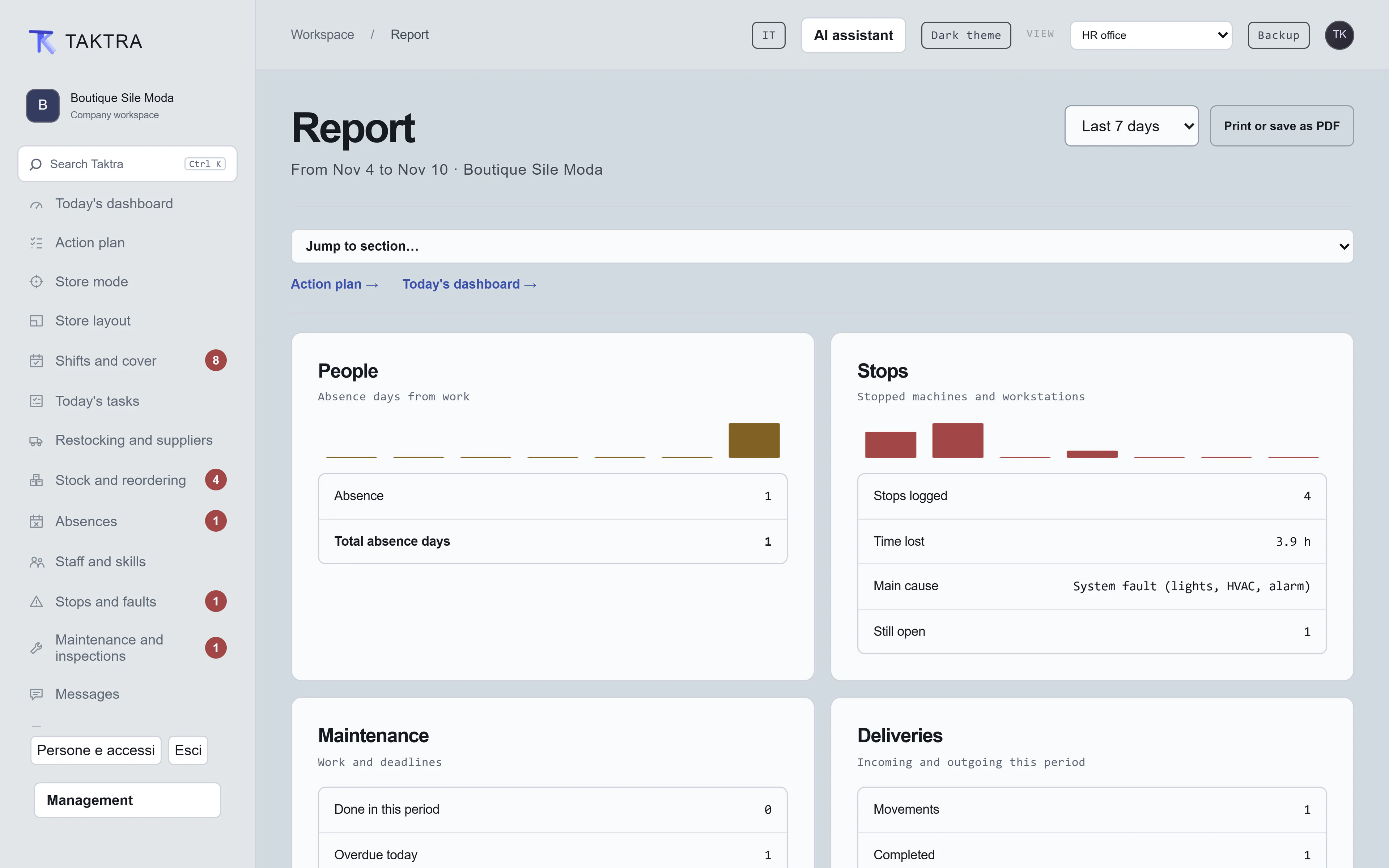
People, stoppages, maintenance, deliveries and sales over the last 7, 30 or 90 days. Print it or save it as PDF.
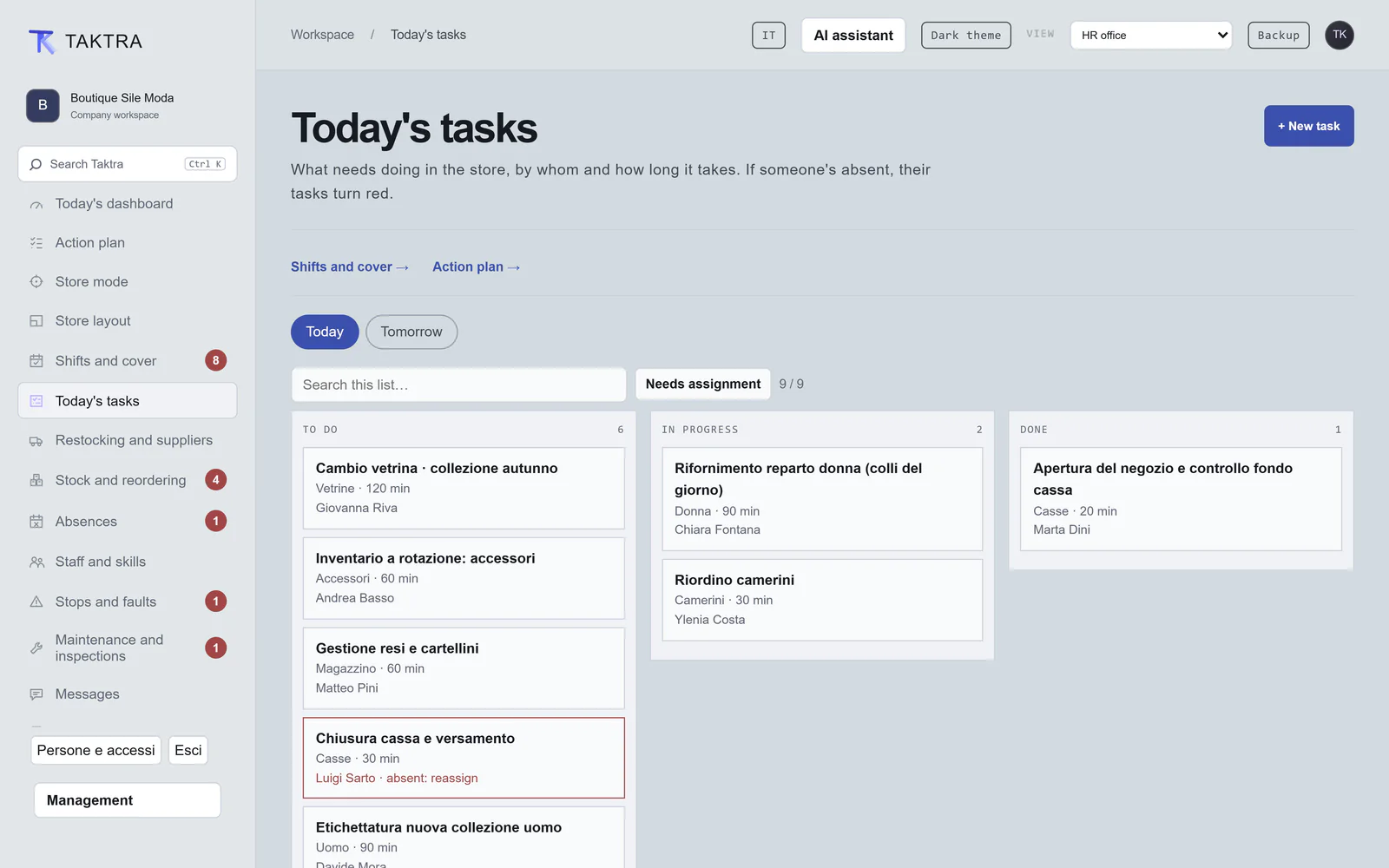
What has to be done, by whom, and how it went.
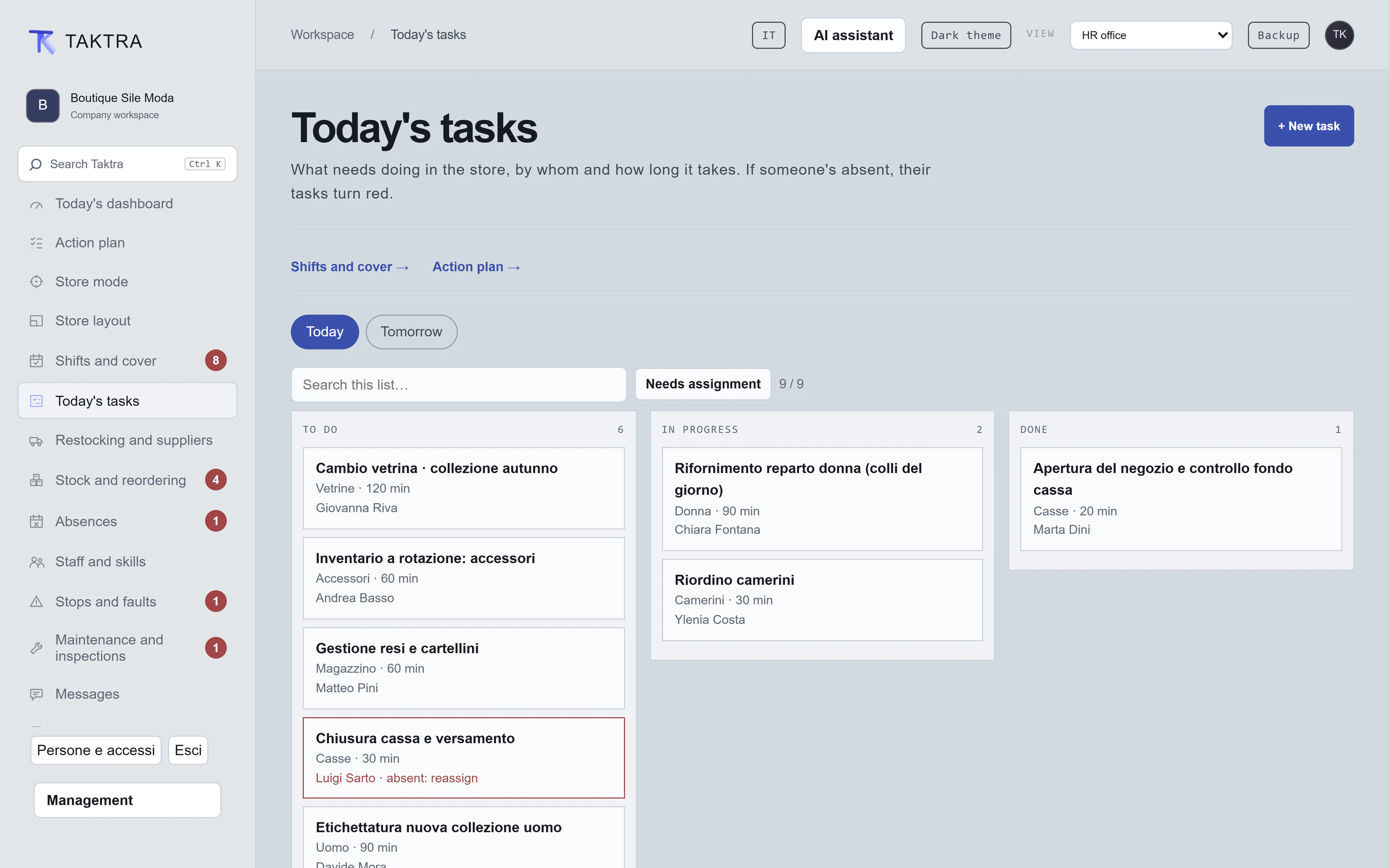
What has to be done in store, by whom and how long it takes: window change, rolling stock count, returns, till closing. If someone is absent, their tasks turn red.
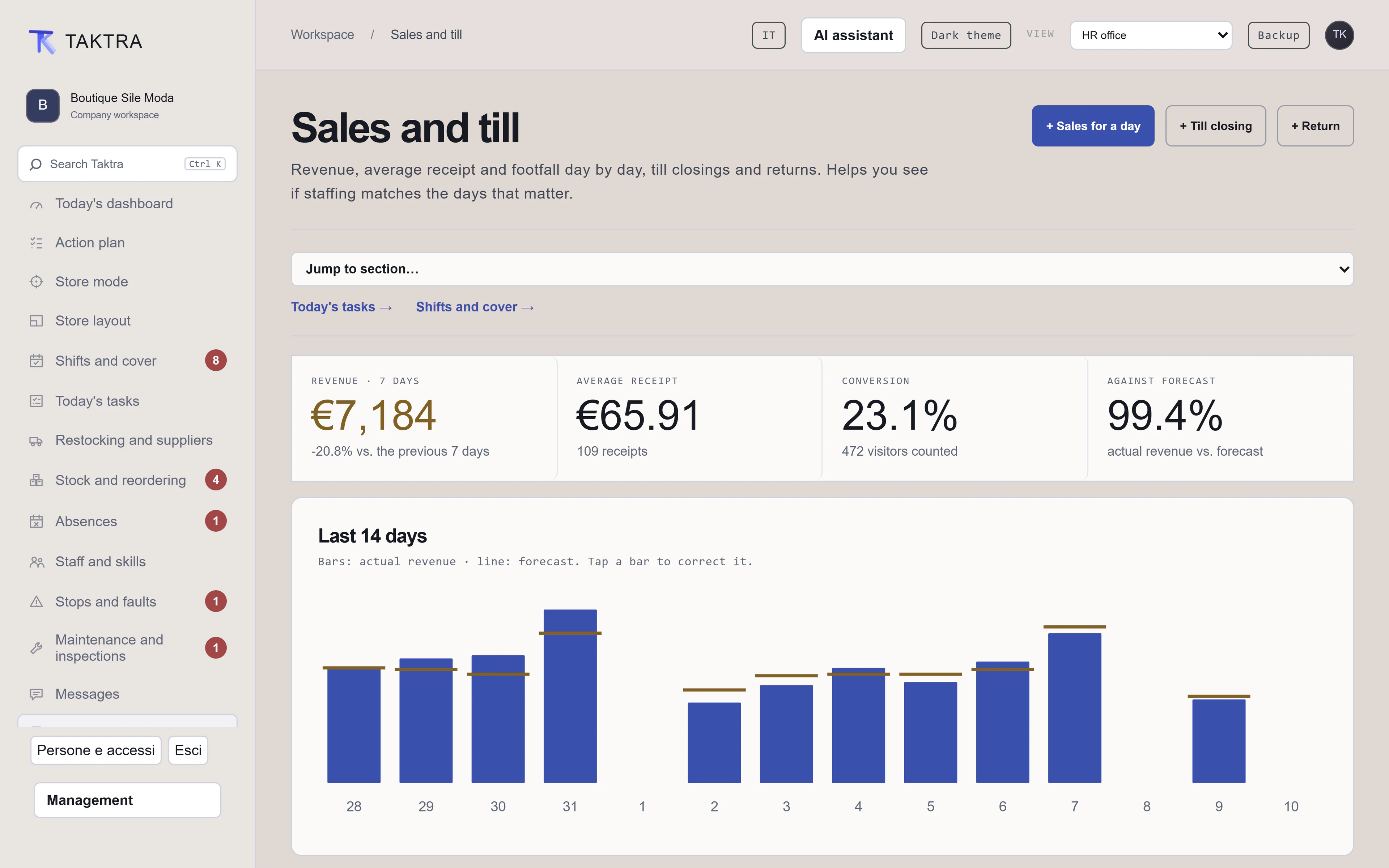
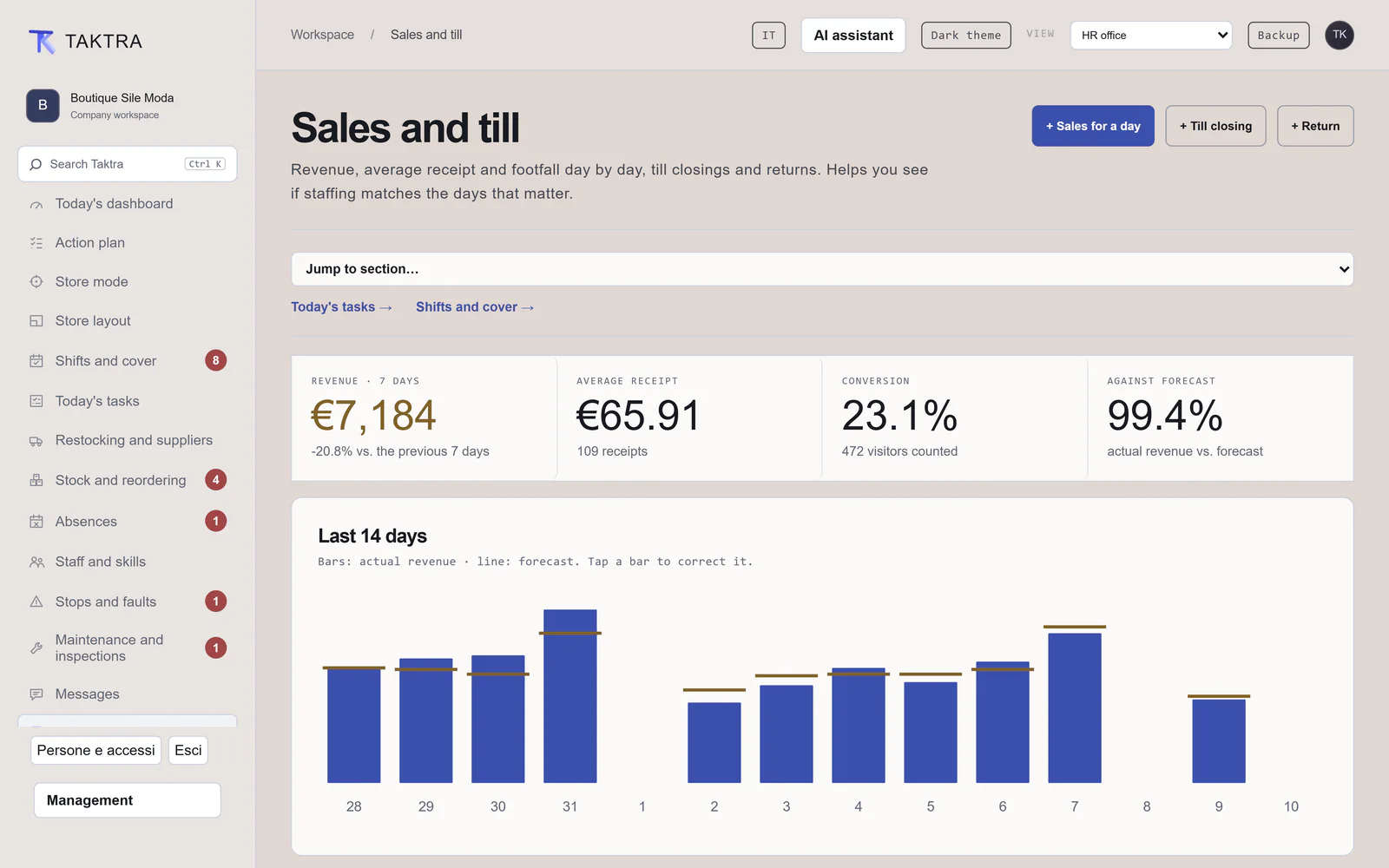
Takings, average receipt and footfall day by day, till closing and returns. It shows whether in-store staffing is right for the days that matter.
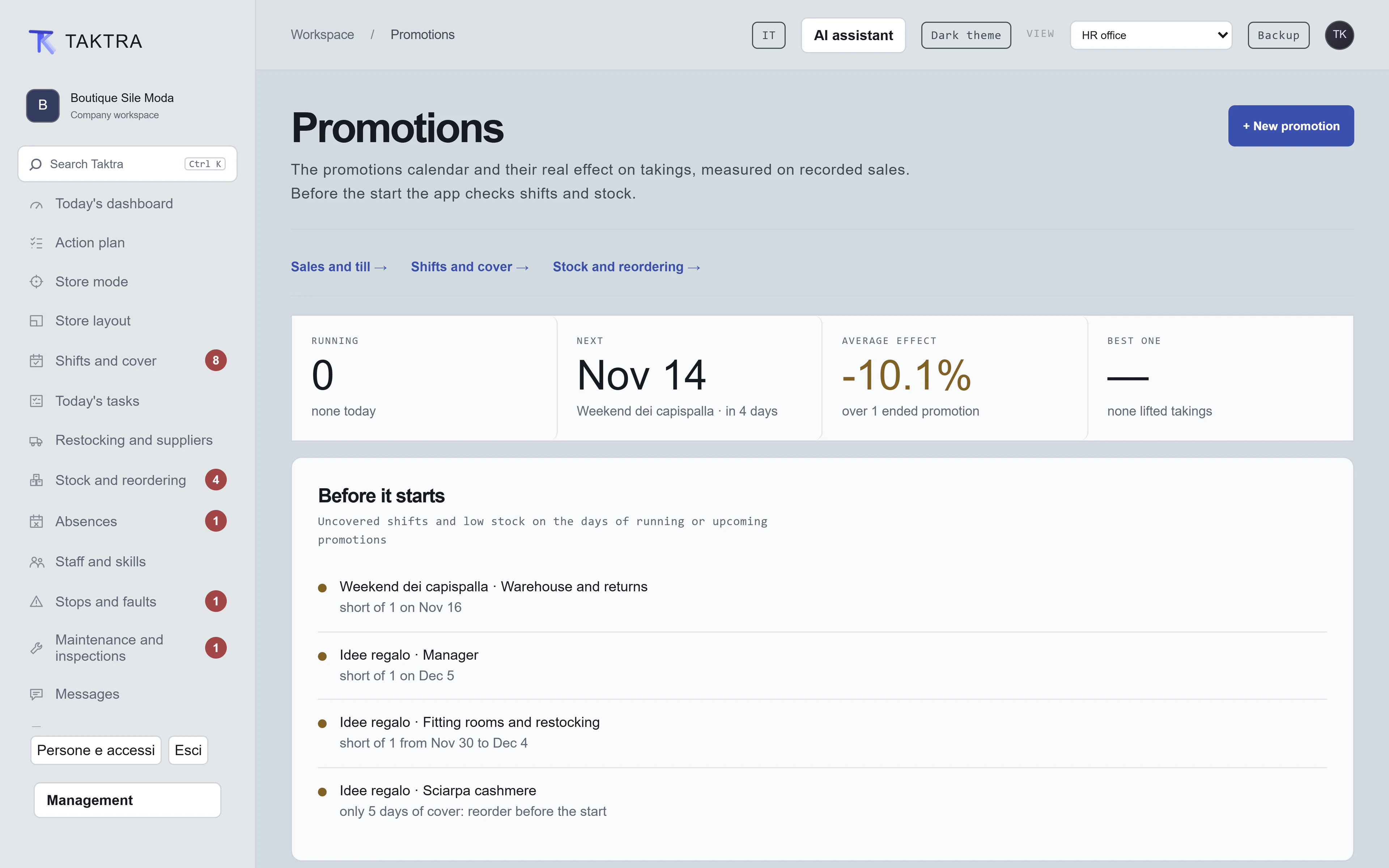
The promotions calendar and their real effect on takings, measured on recorded sales. Before the start the app checks shifts and stock.
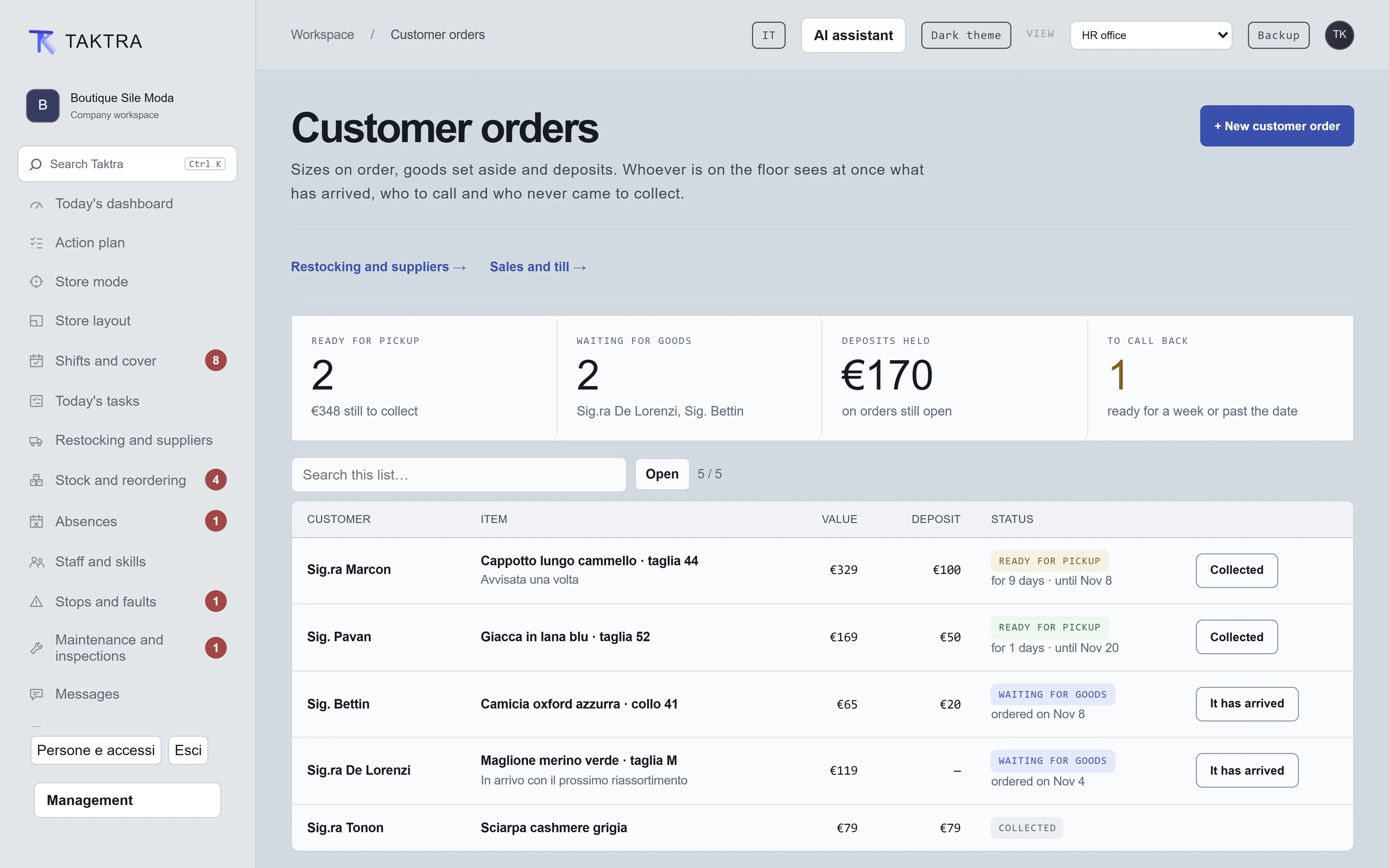
Sizes on order, goods set aside and deposits. Whoever is on the floor sees at once what has arrived, who to call and who never came to collect.
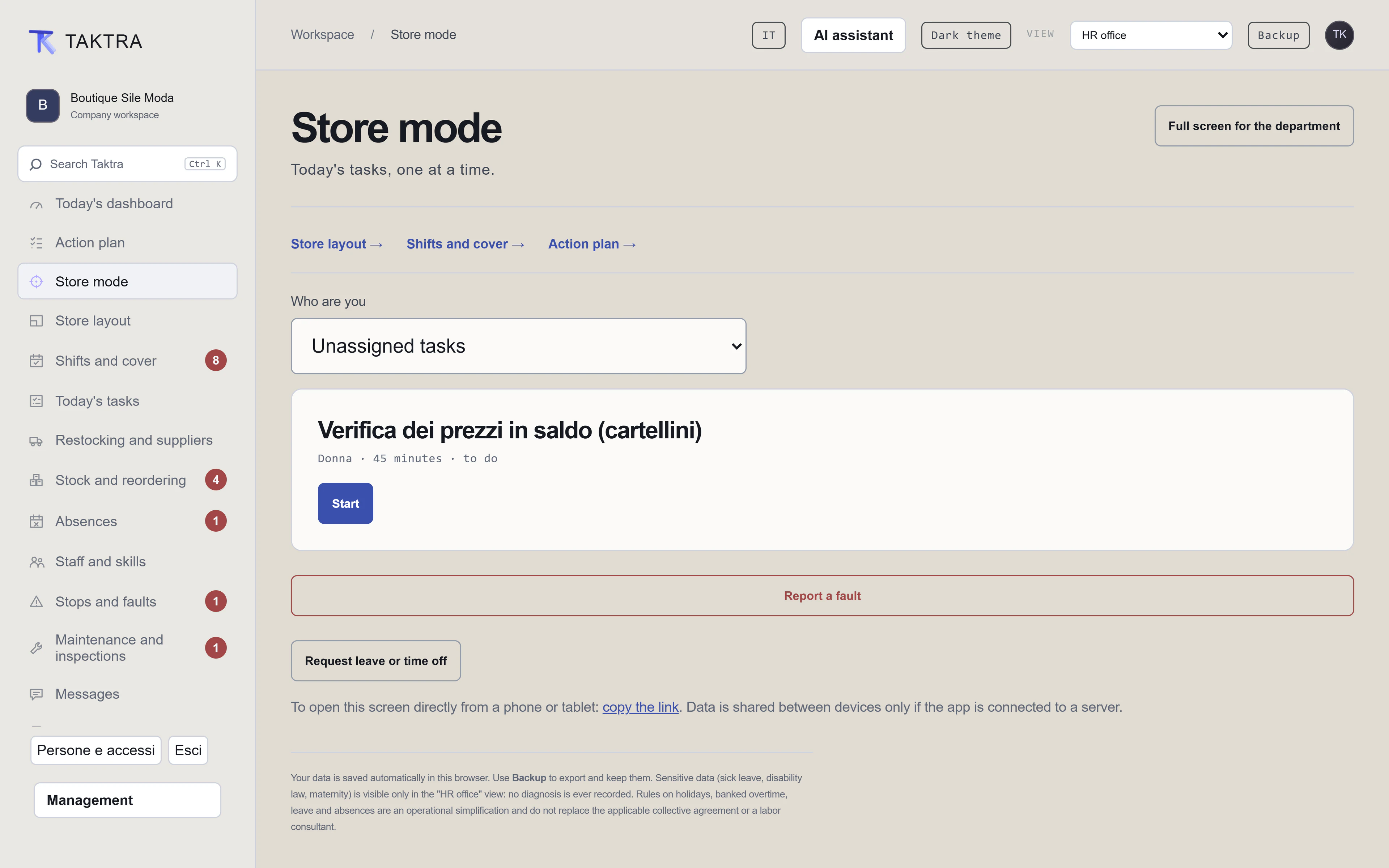
Full screen, for people on the shop floor: today’s tasks, one at a time. From here you report a fault or request leave.
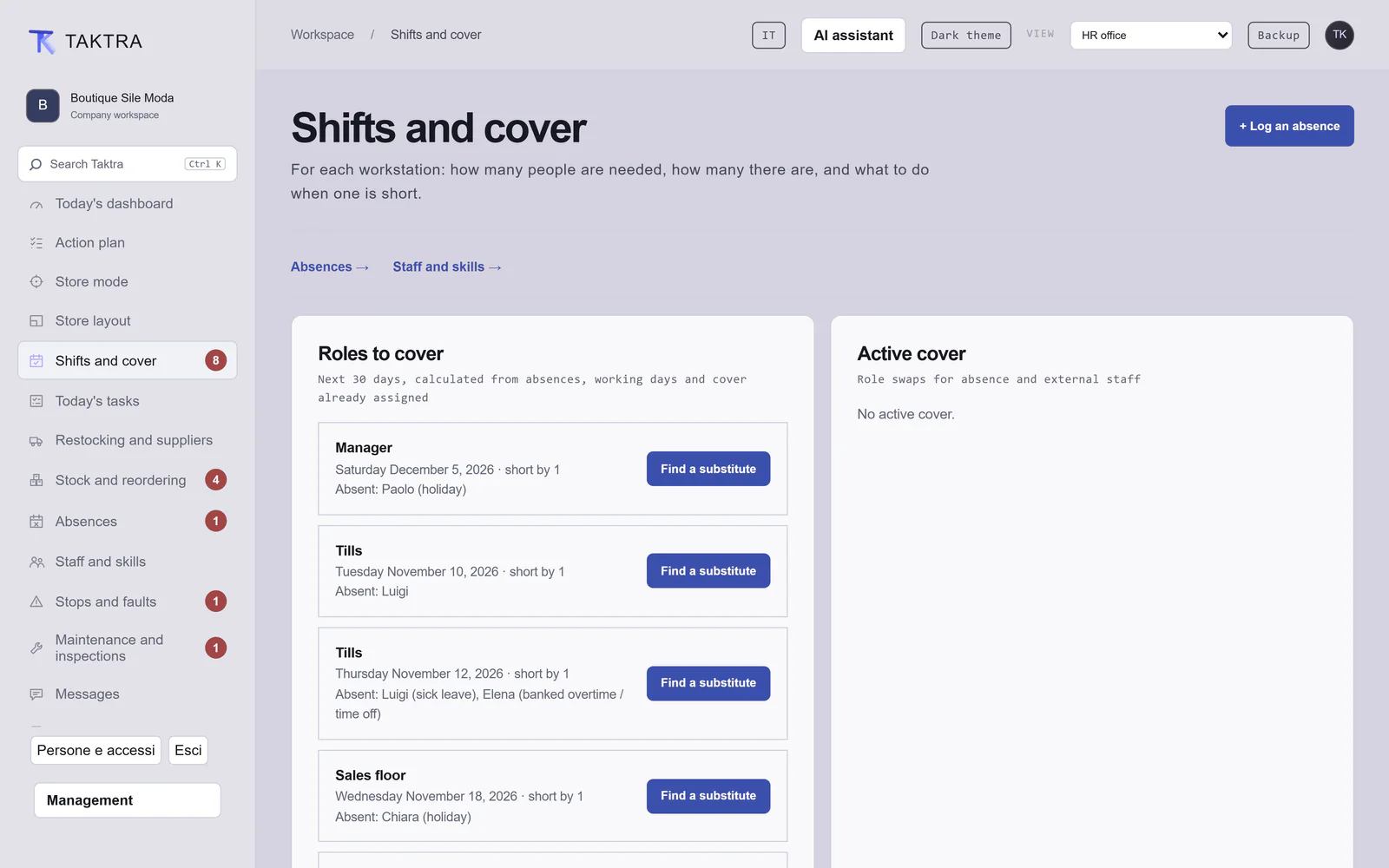
Who covers the tills, and who covers Saturday.
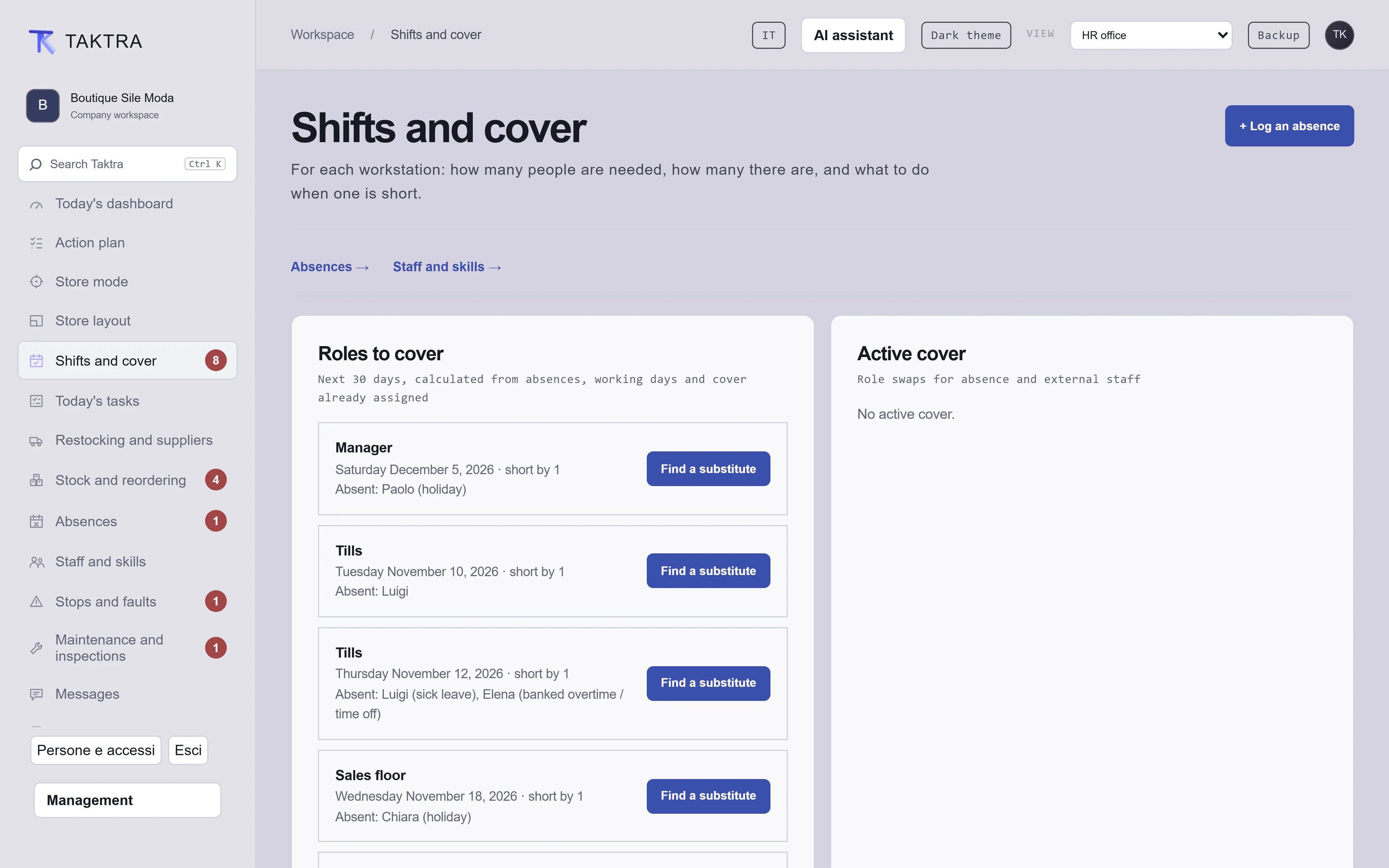
For every position — manager, tills, departments, fitting rooms — how many people are needed, how many there are and what to do when one is missing. With a “Find cover” button.
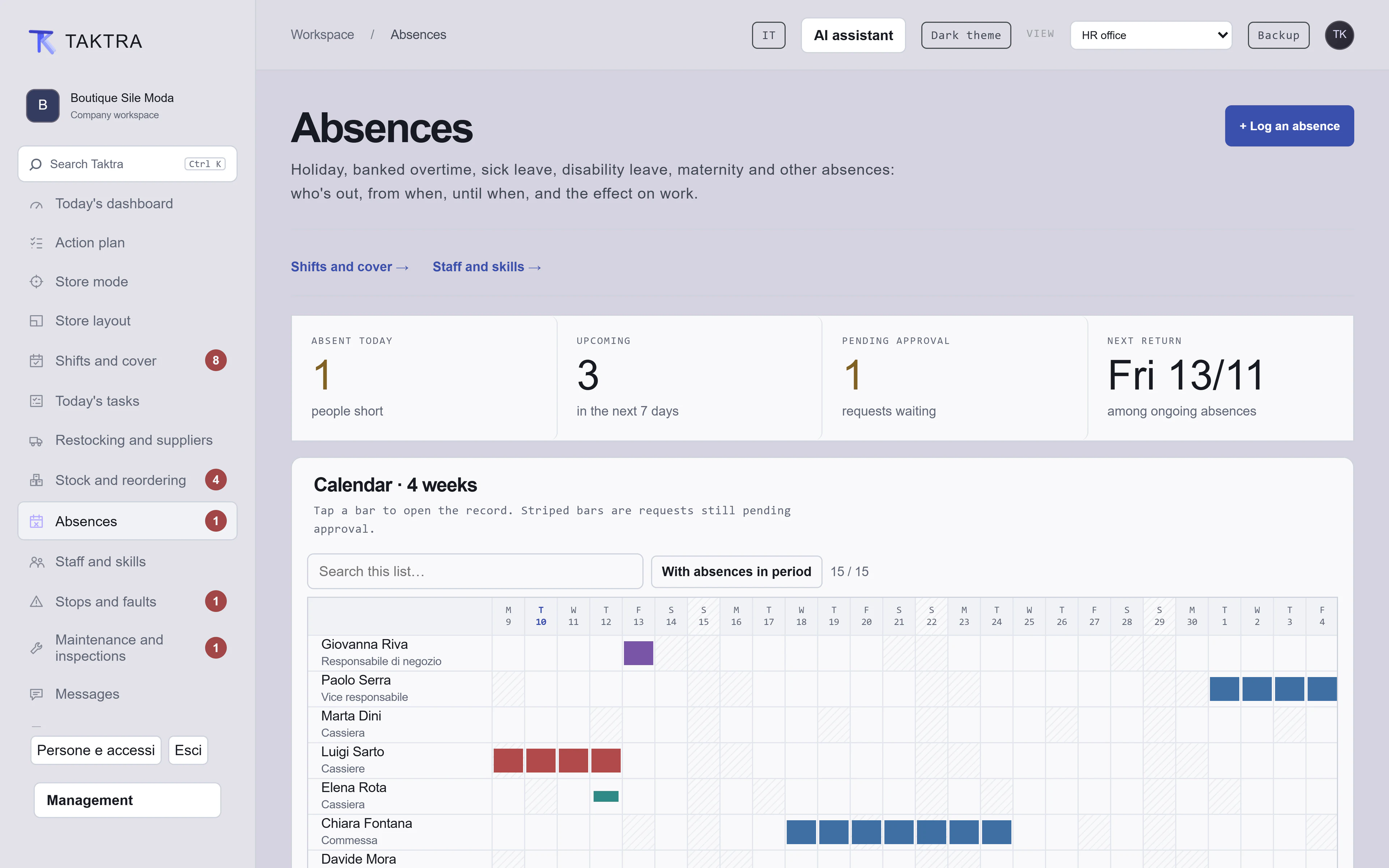
Holidays, leave and other absences on a four-week calendar, with requests still awaiting approval.
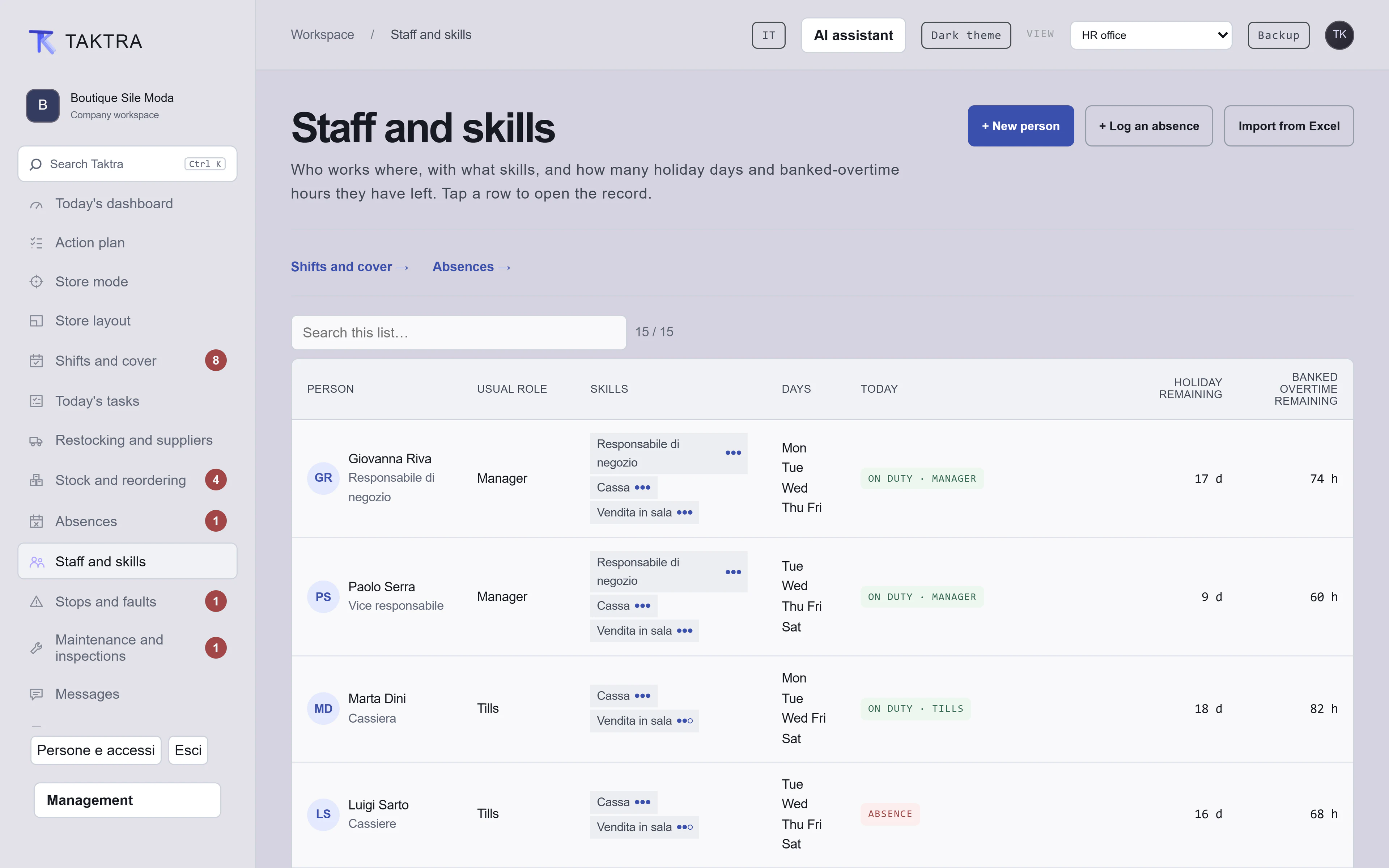
Who works where, on which days, with which skills — till, floor sales — and how much leave they have left.
The sales floor and what breaks.
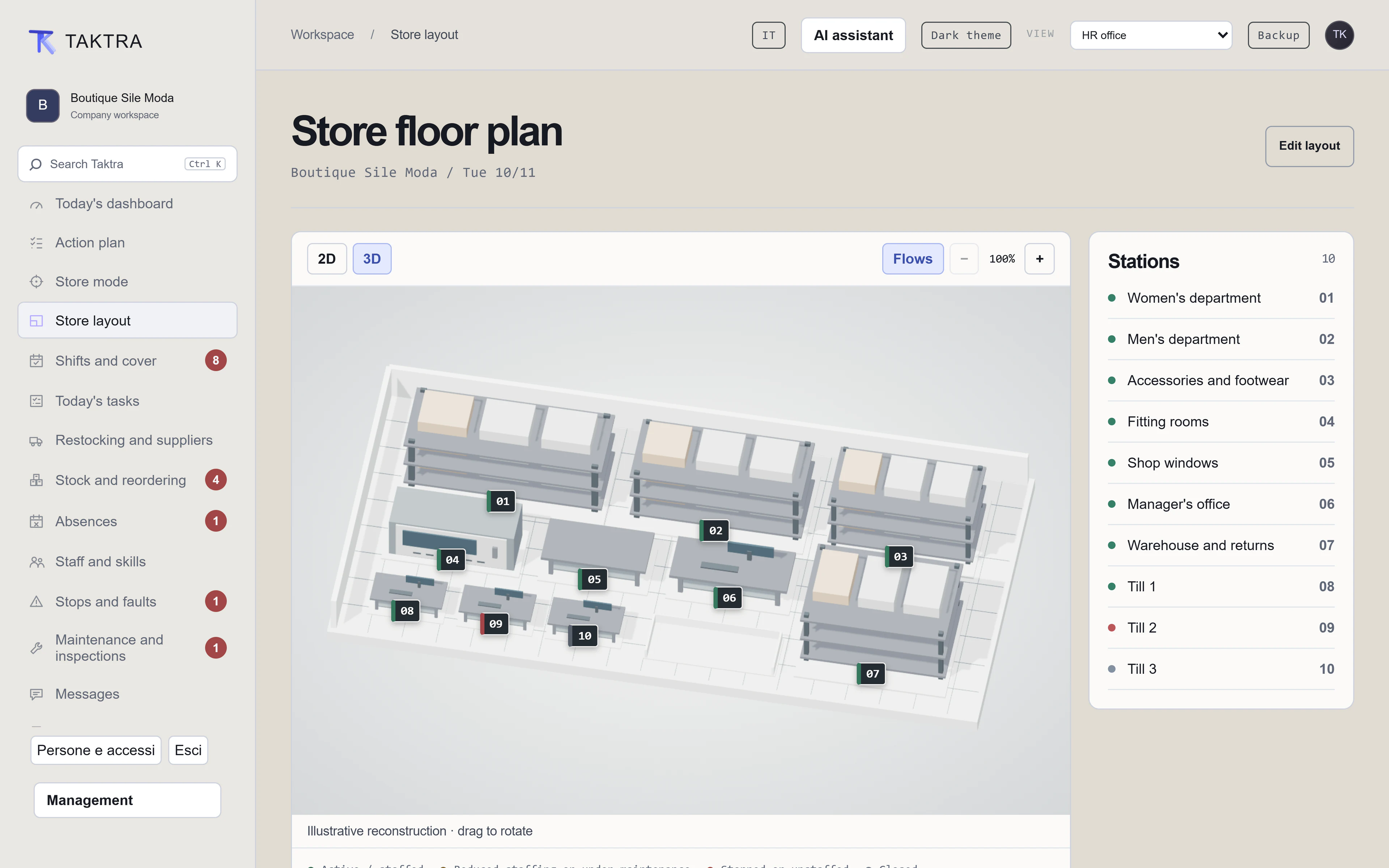
The store floor plan in 2D, 3D or by flows: departments, fitting rooms, windows, stockroom, tills. Each area shows whether it is staffed, under-staffed, stopped or closed.
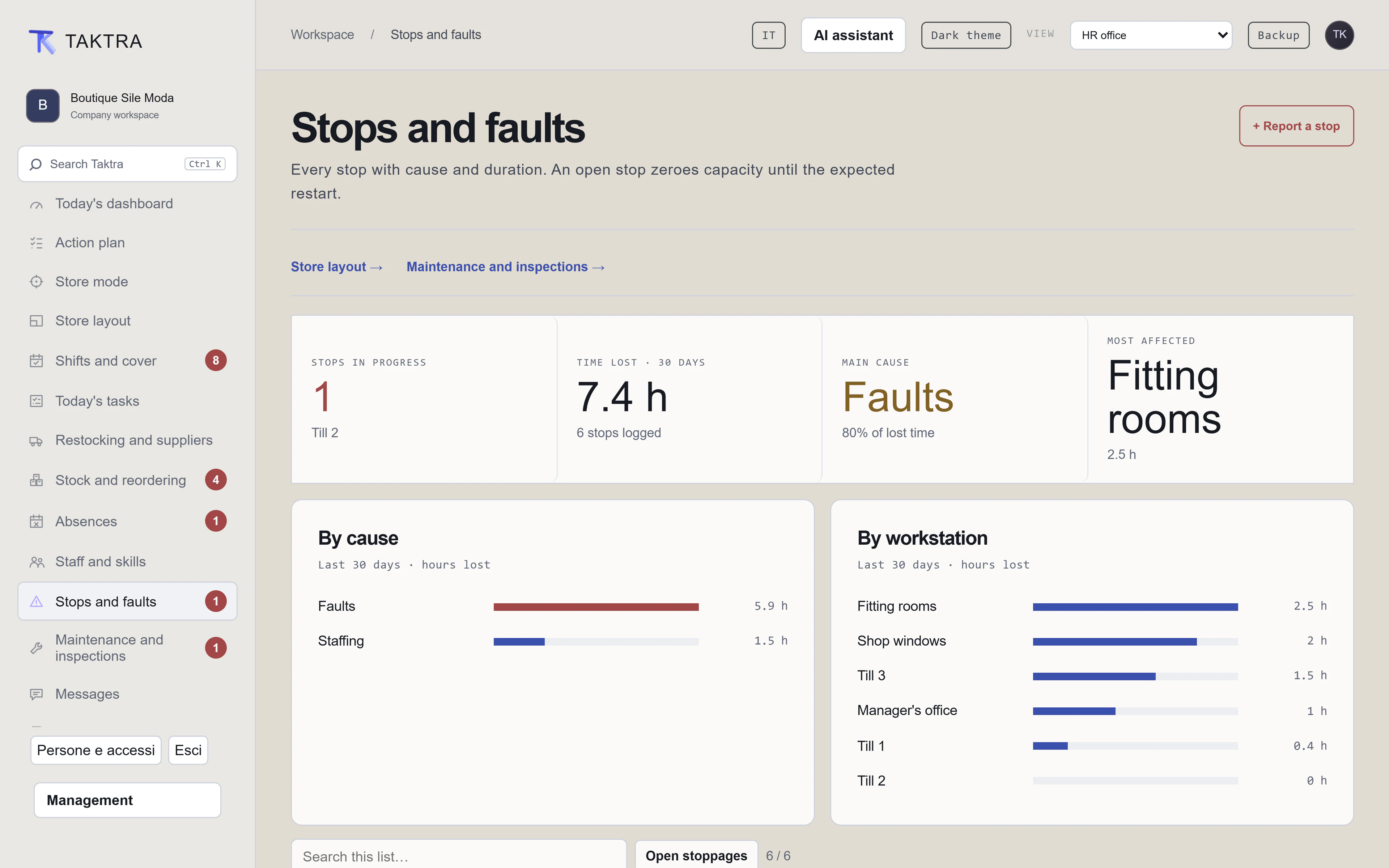
Every stoppage with cause and duration — a till, a POS, the air conditioning — and analysis by cause and by station over the last 30 days.
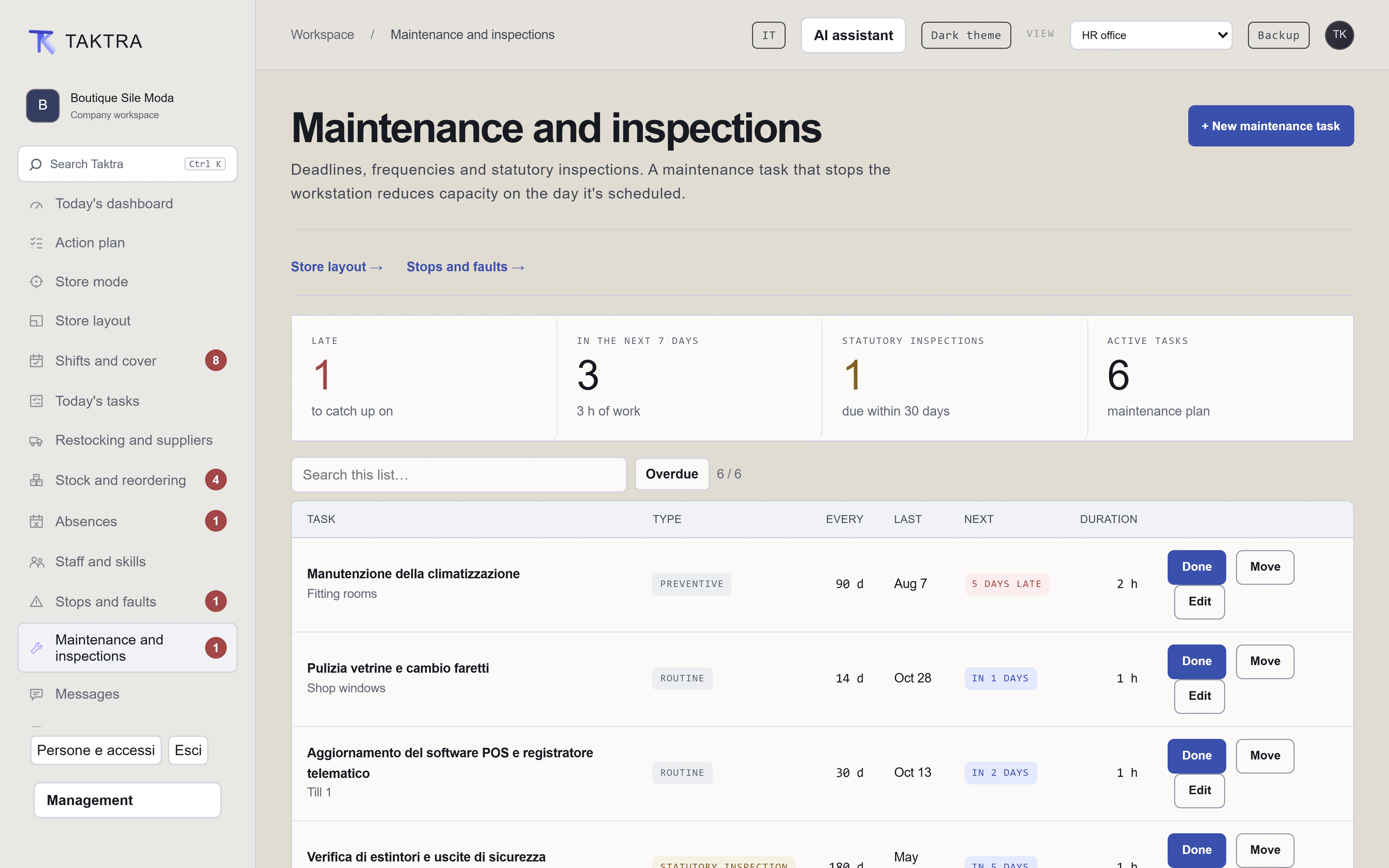
Due dates, frequencies and statutory inspections, with what is overdue highlighted.
What arrives, what is running low, and how the store is described.
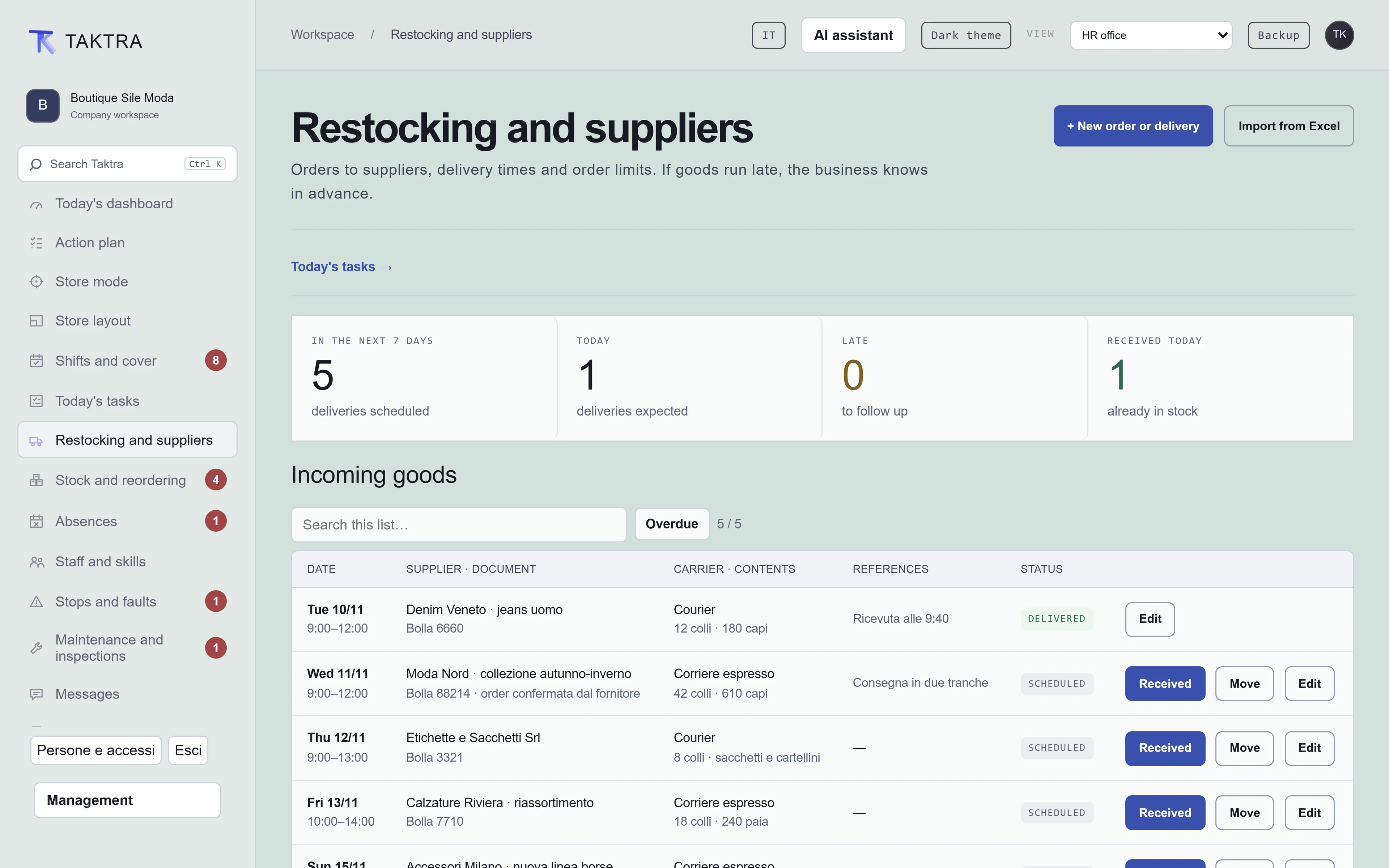
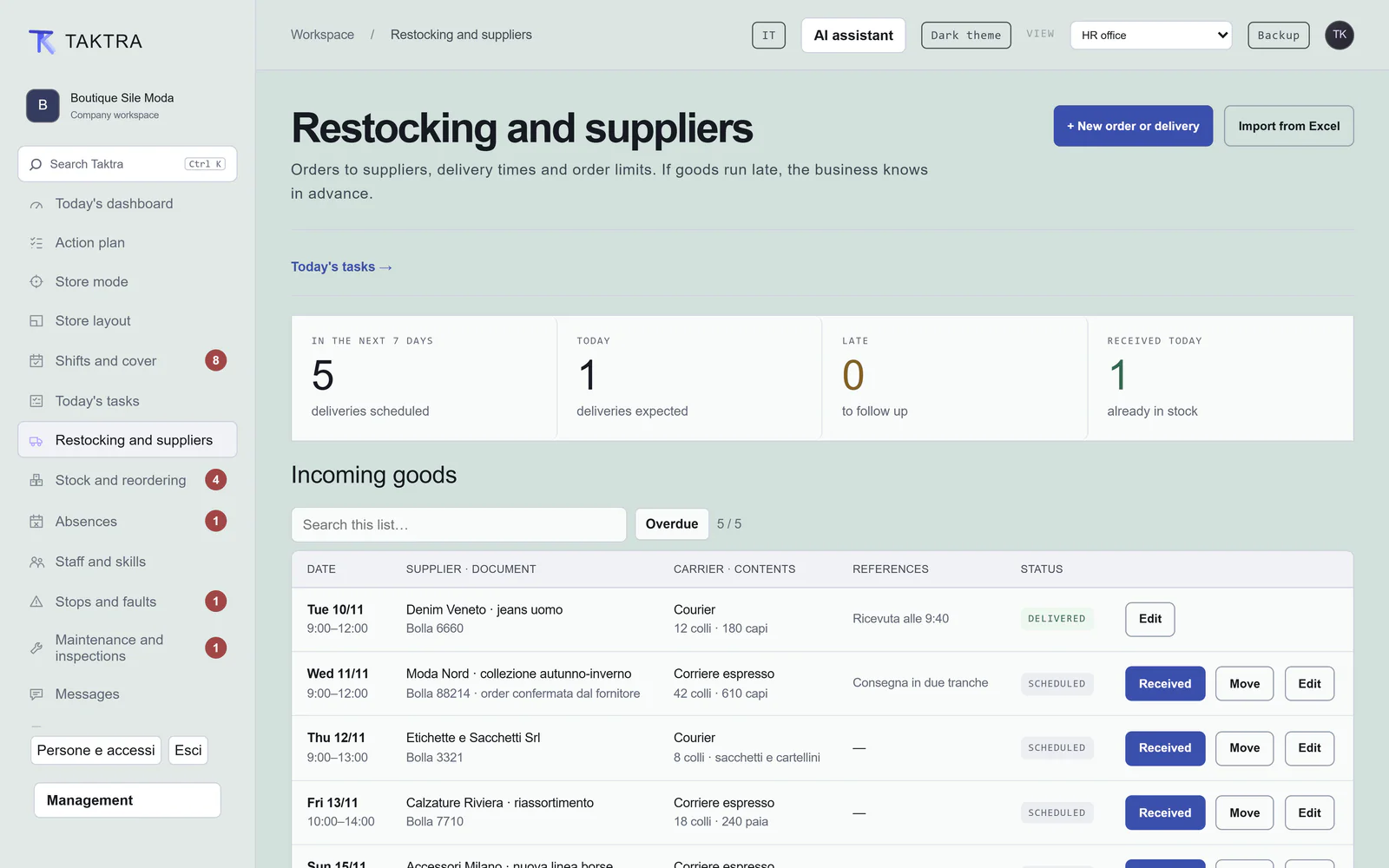
Incoming goods with supplier, time window, parcels and delivery note, and returns to suppliers. If goods are late, you know first.
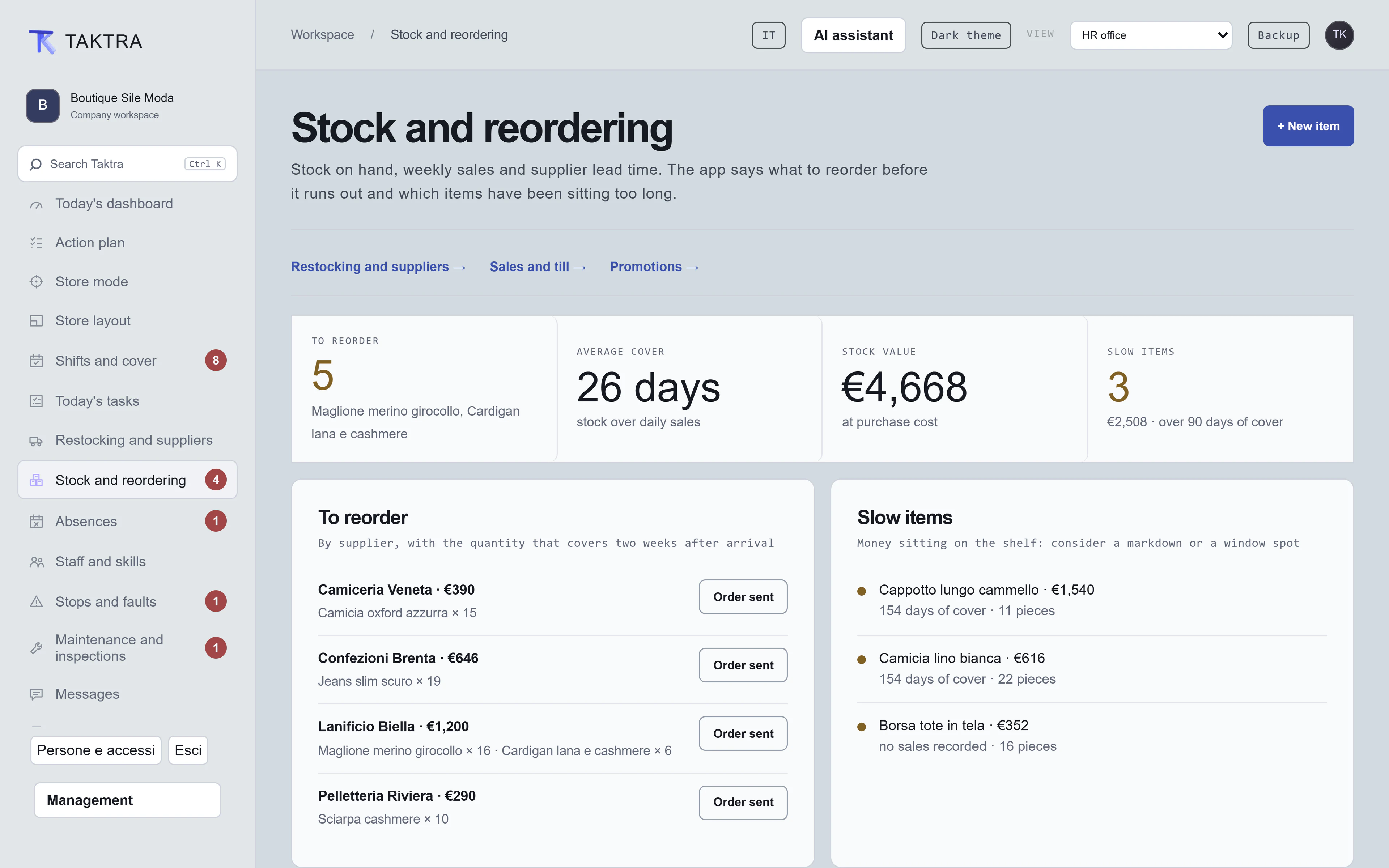
Stock on hand, weekly sales and supplier lead time. The app says what to reorder before it runs out and which items have been sitting too long.
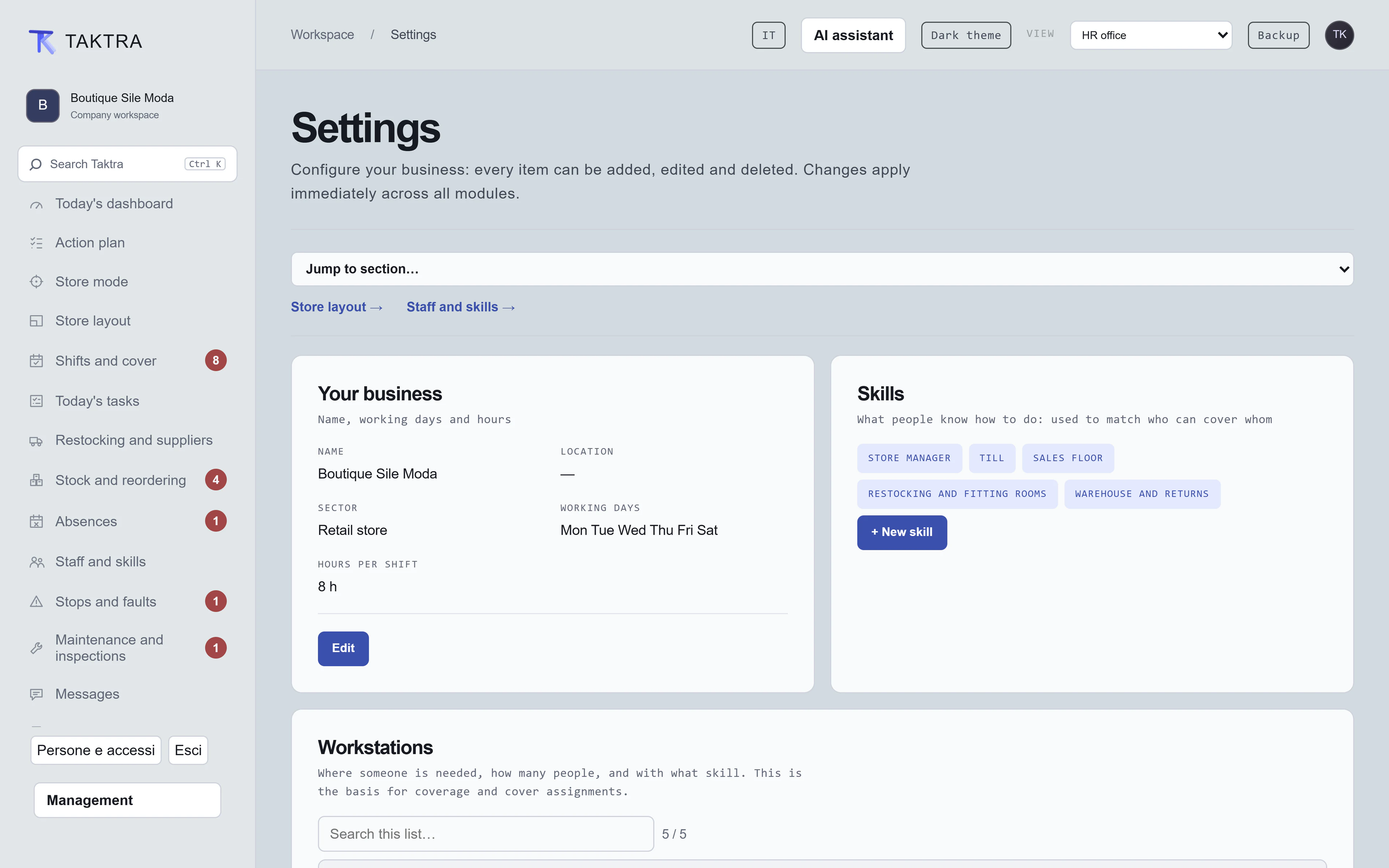
Skills, positions, areas and tills, calendar and lists. Choose which modules to show and in what order.
Messages between store and office, available with a Taktra online account.
Tap a screen to view it at full resolution. Screens show the app’s sample workspace.
A day with Taktra
With the sample workspace data: Boutique Sile Moda, ten areas, fifteen people.
The dashboard says so before opening, together with the day’s eight tasks and the one left with an absent person.
The delivery was expected between 9 and 12, with supplier, contents and delivery note. Whoever opens knows what to expect.
You record the fault with cause and time. It stays in the history: at month end you know how many till hours were lost and why.
The task was assigned to an absent person and turned red. You reassign it before the evening.
Seven-day takings, average receipt, conversion on counted footfall and variance from forecast. The numbers for planning next week’s shifts.
Your vocabulary
A store does not talk about job orders or machines. Taktra changes vocabulary and adds what a shop needs: daily tasks, tills, sales.
| In general | In Taktra, for retail | What it is for |
|---|---|---|
| Work to do | Today’s tasks | What, who, how long |
| Who covers positions | Shifts and cover | Tills, departments, peak days |
| What stops | Stops and faults | Tills, POS, equipment |
| The space | Store layout | Departments, fitting rooms, windows, tills |
| What comes in | Restocking and suppliers | Incoming goods and returns |
| The result | Sales and till | Takings, average receipt, conversion |
AI assistant
The assistant queries the store’s data: cover, tasks, faults, deliveries. Write the question the way you would ask a colleague.
Sample question and answer, from the app’s sample data
The assistant answers only with your company’s data. Every proposal is read and confirmed by you. How it works
3D floor plan
It is the floor plan you get in the app: the stations, the state of each one and the flow of work. Drag to turn it and tap a station to see how it stands right now.
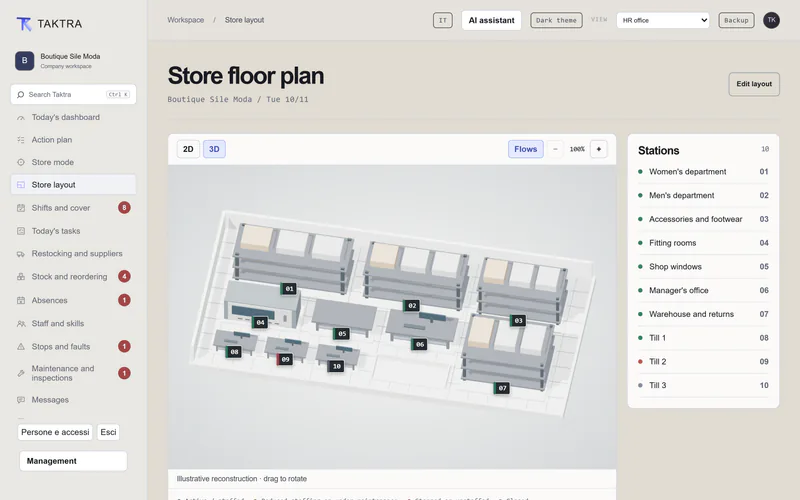
Illustrative reconstruction · drag to rotateApp screen · sample data
In store and in your pocket
Store mode shows each person today’s tasks, one at a time. Everything else runs in the browser on computer, tablet and phone.
Frequently asked
Other sectors
Thirty days to see whether your team really uses it. Open Taktra in your browser, create your company and describe how you work.
No card needed to start: 30 days free, then you decide whether to subscribe.
Taktra’s virtual assistant
It answers by voice or in writing and, if you like, takes your details: then a member of our team writes to you. It is an AI, not a person.
When you open it, the conversation goes through ElevenLabs, which handles it on Taktra’s behalf. Privacy notice