01 · Control room
Dashboard
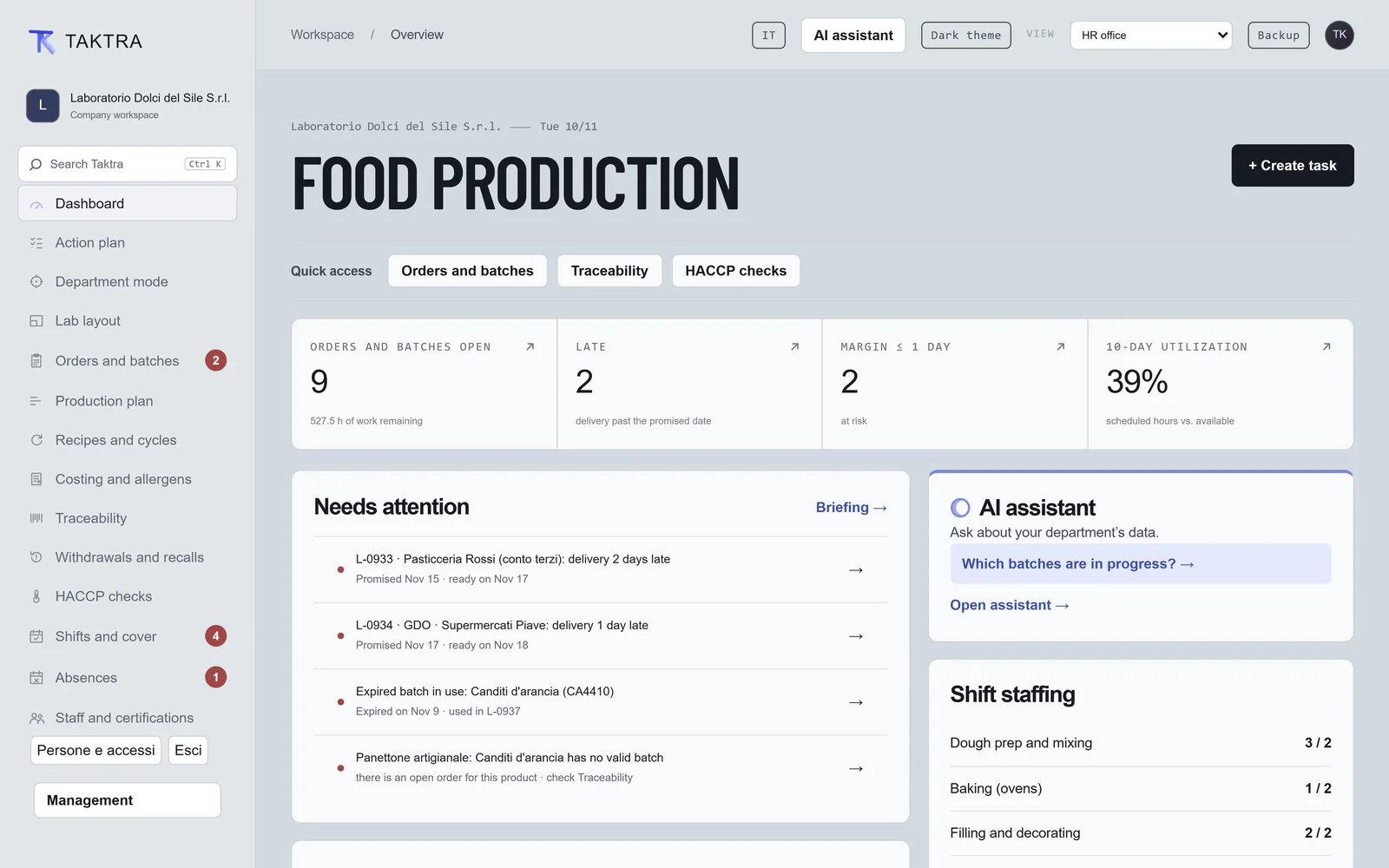
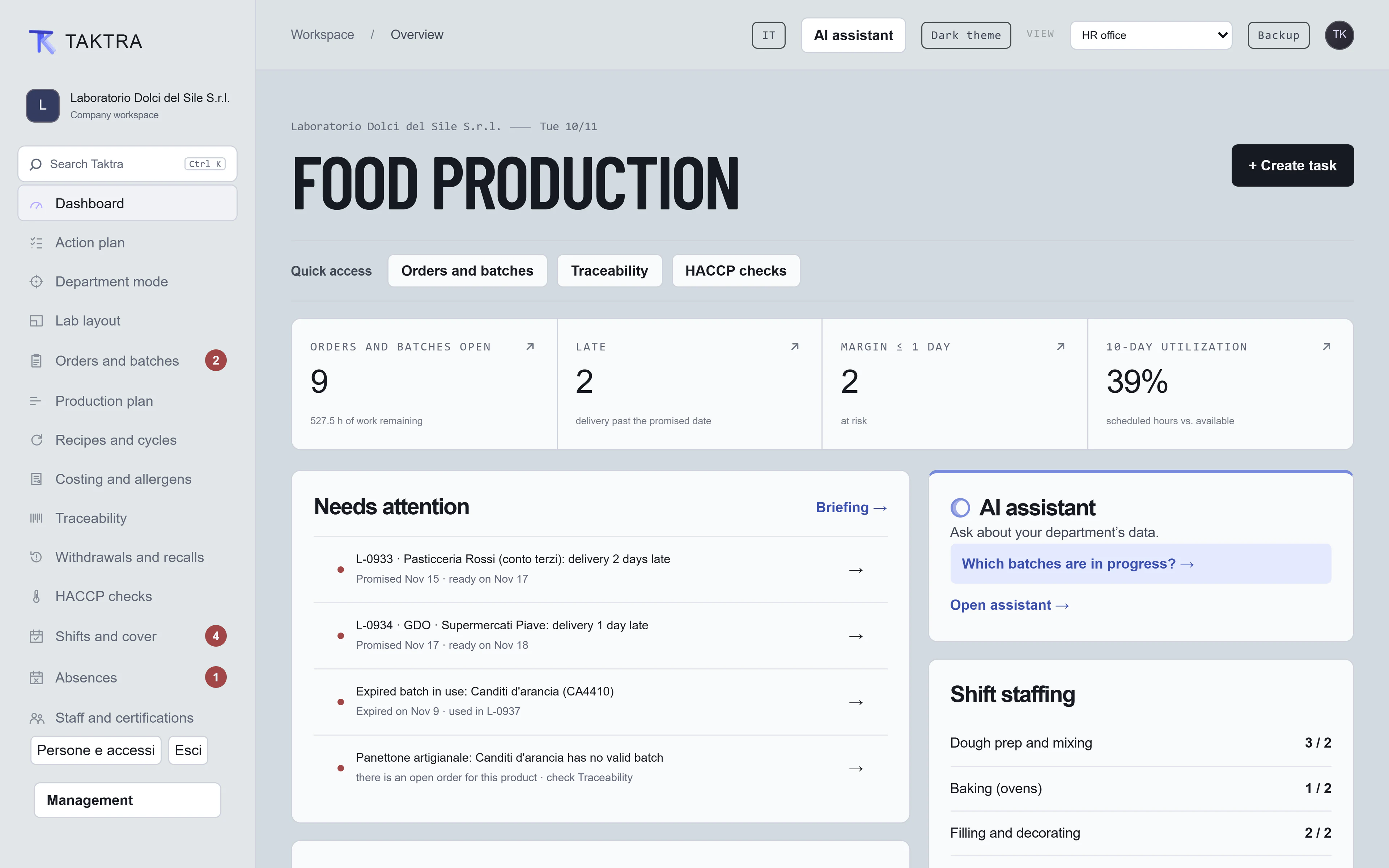
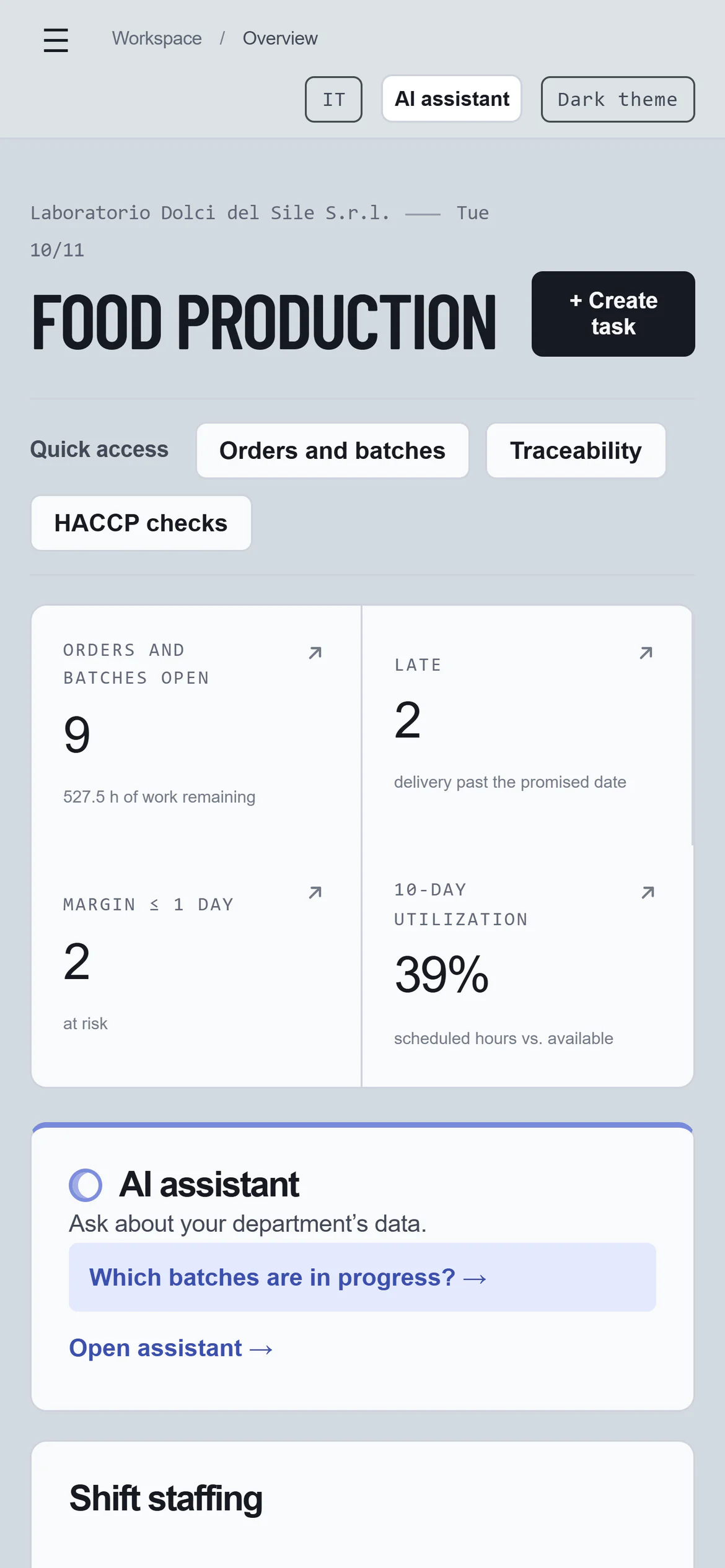
Open orders and batches with remaining hours, late deliveries, margins under a day and ten-day utilisation. Quick access to orders, traceability and HACCP checks.
Food production labs
Every batch is a production order with its own promise. HACCP checks, traceability and sanitation sit next to the plan of the day, not in a separate binder.
Opens at once with sample data: no sign-up, no card.
Every morning
The dashboard shows open orders and batches, delays, margins and ten-day utilisation. “Needs attention” puts first what cannot wait: late deliveries, an expired ingredient batch still in use, an ordered product without a valid batch.
Real examples from the “Needs attention” list in the sample workspace.
Sound familiar?
Inside the app
Scroll: the screens come apart. Each layer is a piece of the day, and they all read the same data.
23 modules
Production, people, hygiene and deliveries read the same data. A line stop or an absence is recorded once and the plan updates itself.
What is happening in the lab, right now.
Open orders and batches with remaining hours, late deliveries, margins under a day and ten-day utilisation. Quick access to orders, traceability and HACCP checks.
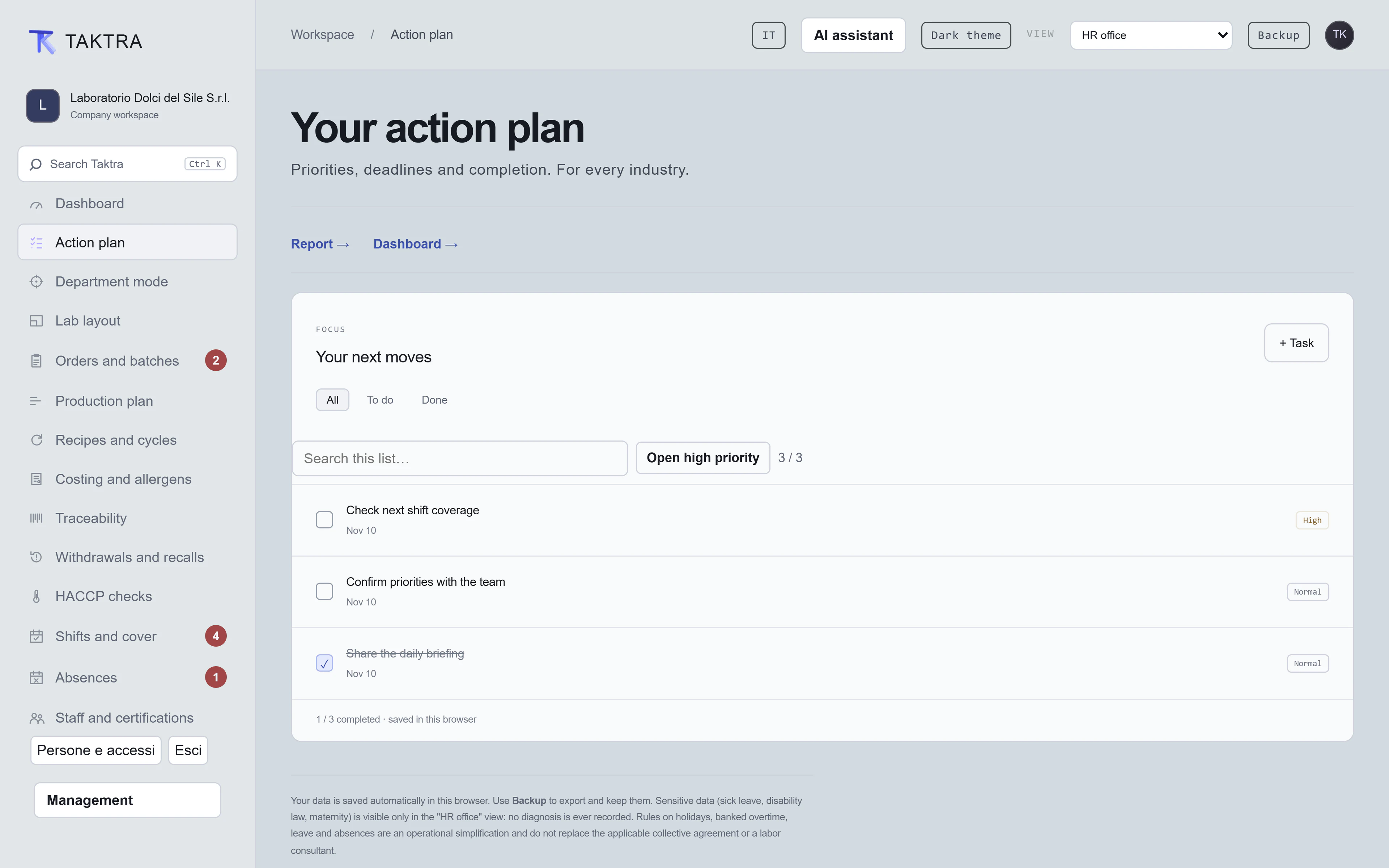
Your next moves with priority and due date, ticked off one by one.
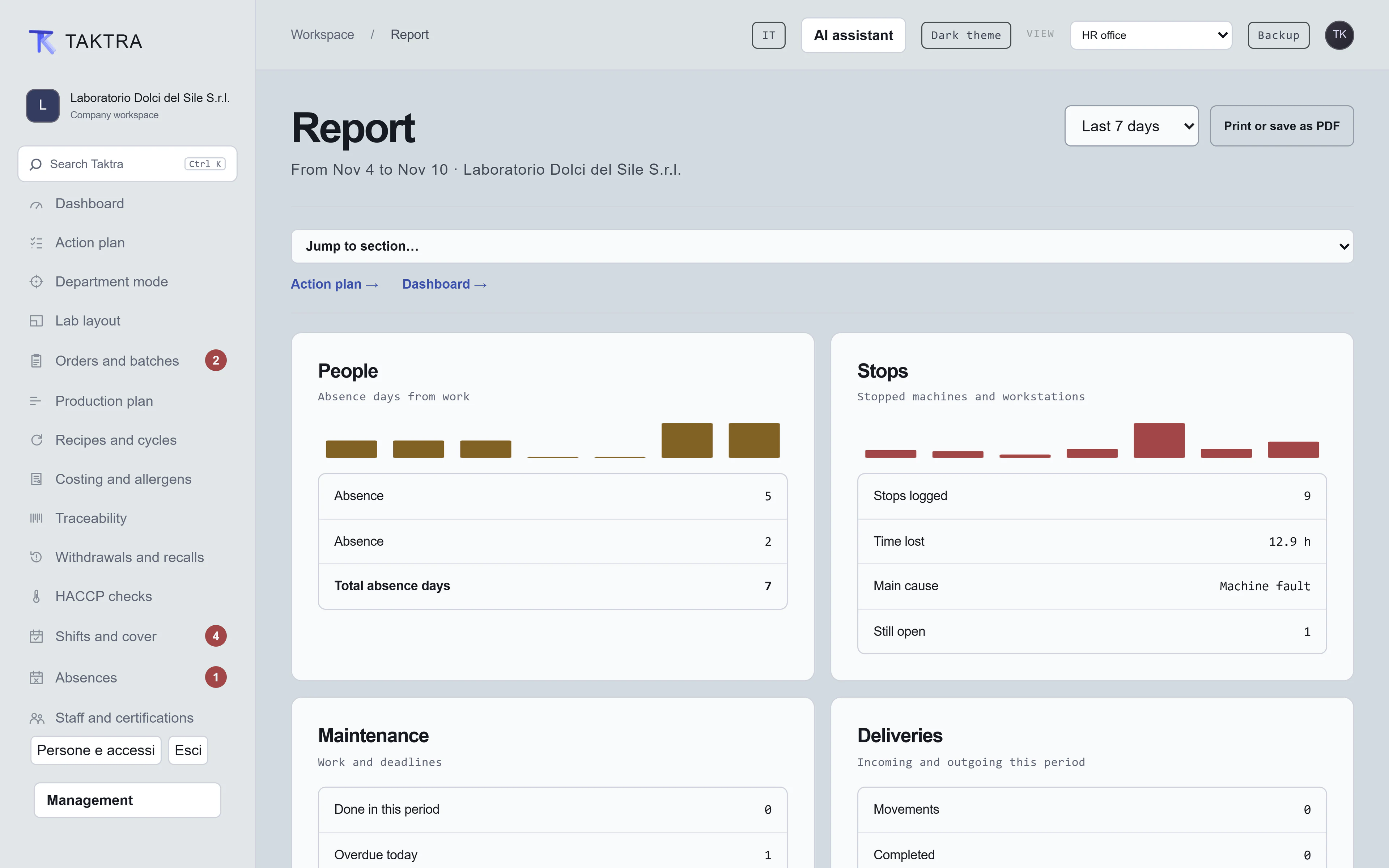
People, stoppages, maintenance, deliveries, orders, quality and HACCP over the last 7, 30 or 90 days. Print it or save it as PDF.
From the customer’s order to the batch leaving the oven.
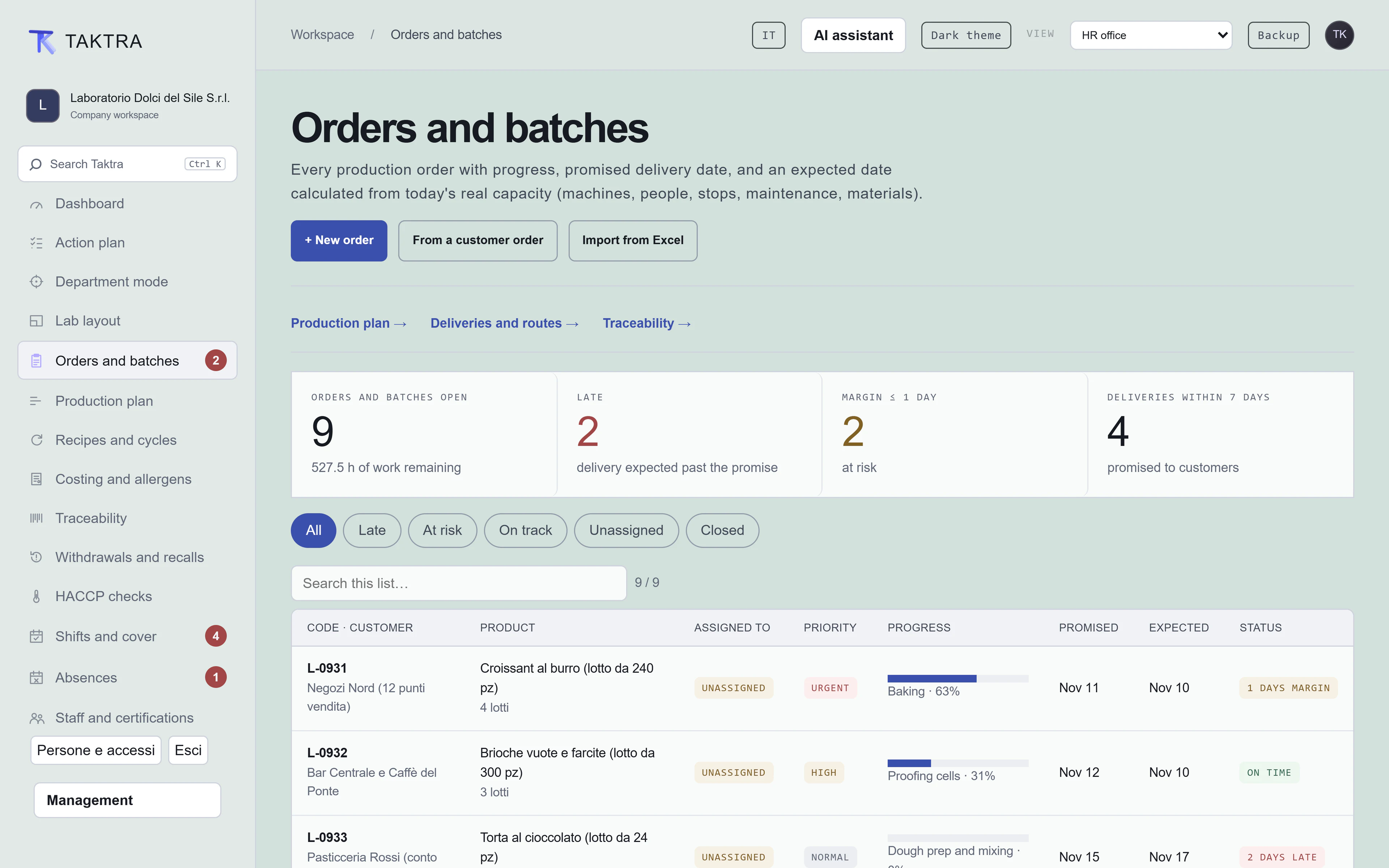
Every production order with progress, promised delivery and expected date, calculated from today’s real capacity. With “From a customer order” the AI reads the customer’s PDF, photo or email text and prepares the orders for you to confirm. Excel import also takes messy sheets: the AI recognises the columns.
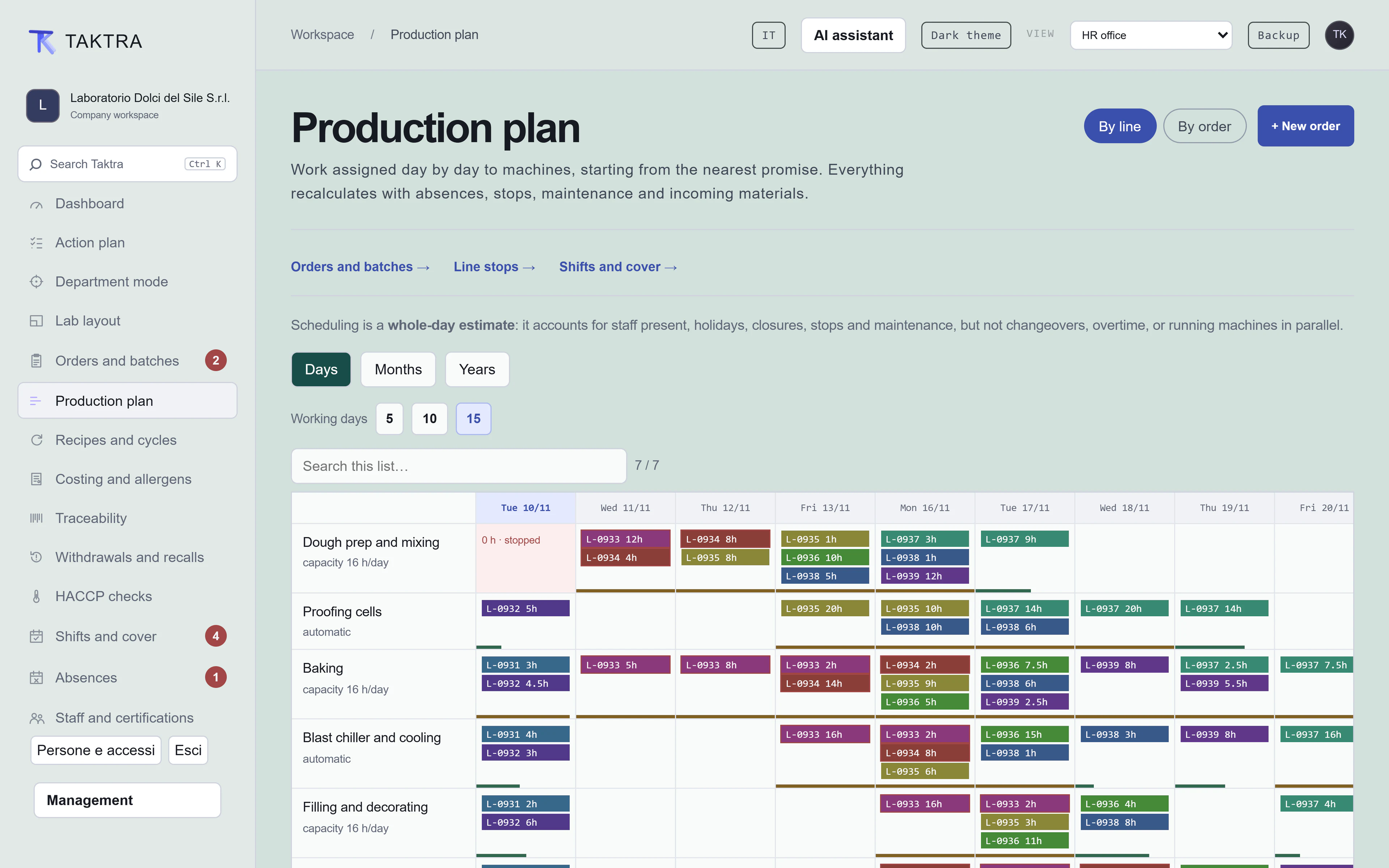
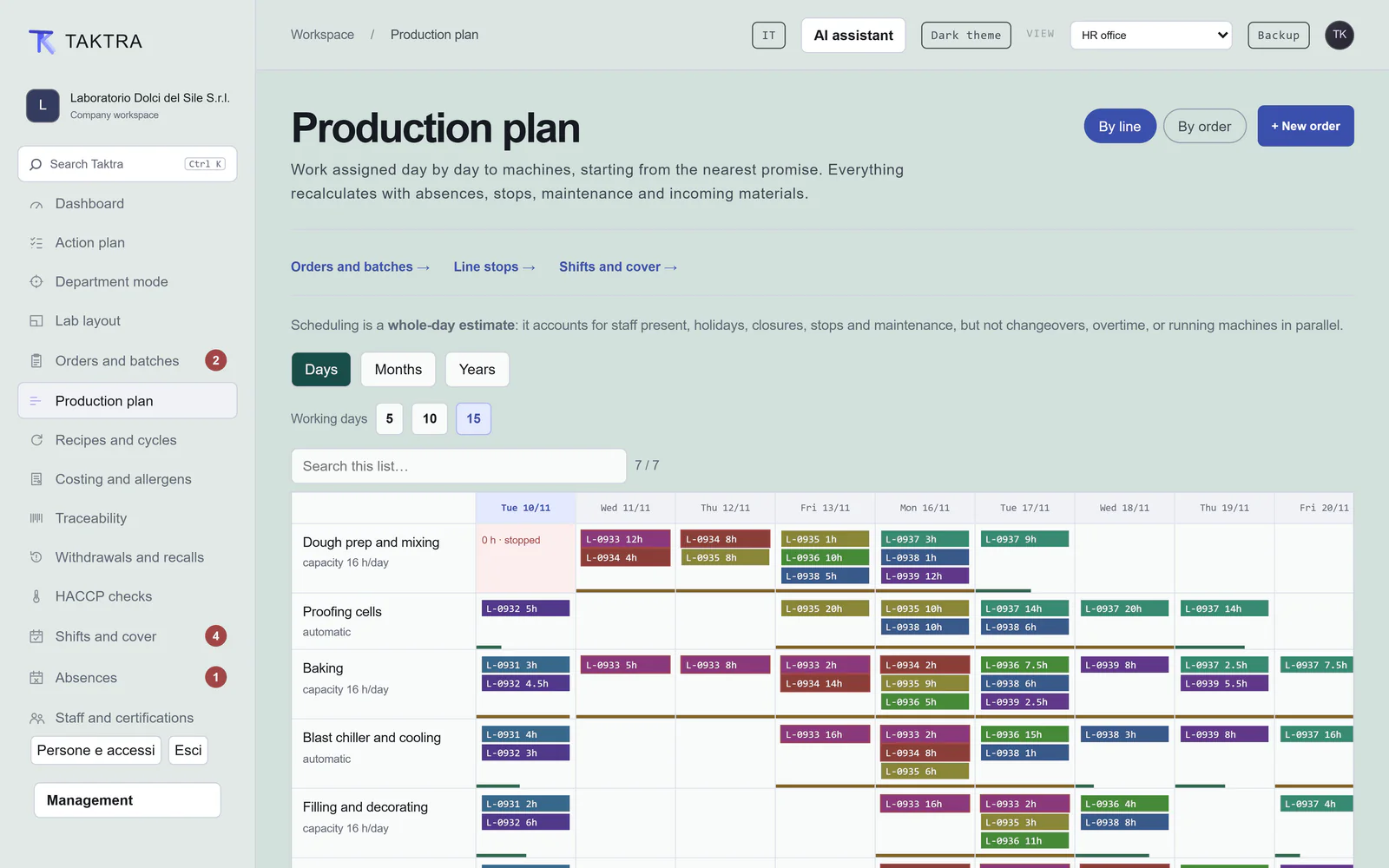
Operations assigned day by day, nearest promise first. View by line or by order; recalculated with absences, stoppages, maintenance and incoming materials.
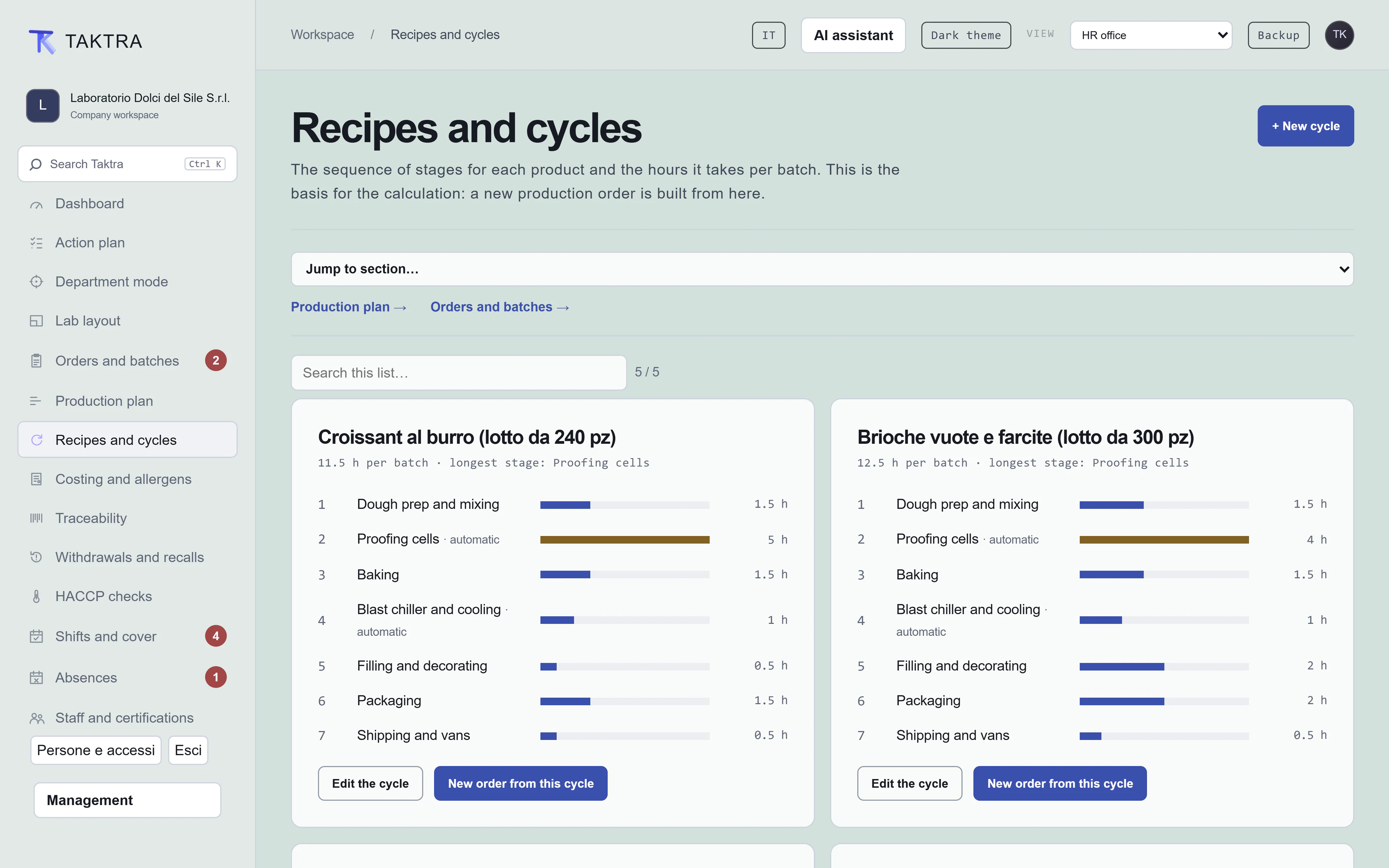
The sequence of stages for each product and the hours per batch: mixing, proving, baking, cooling, packing. A new order starts here.
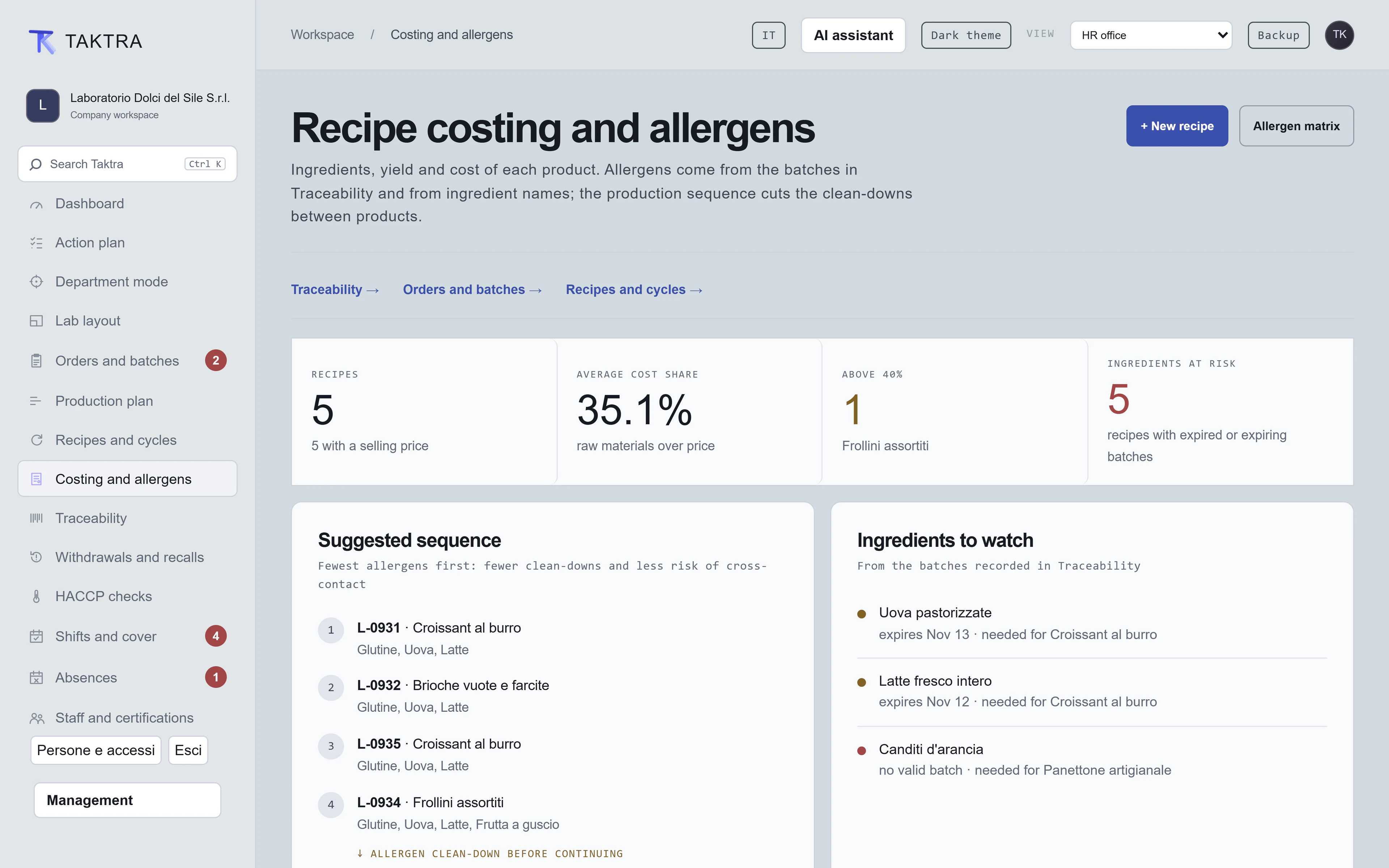
Ingredients, yield and cost of each product, with raw-material cost as a share of price and products above 40% highlighted. Allergens come from the batches in Traceability and from ingredient names; the production sequence cuts the clean-downs between products.
The records that have to exist, where they are needed.
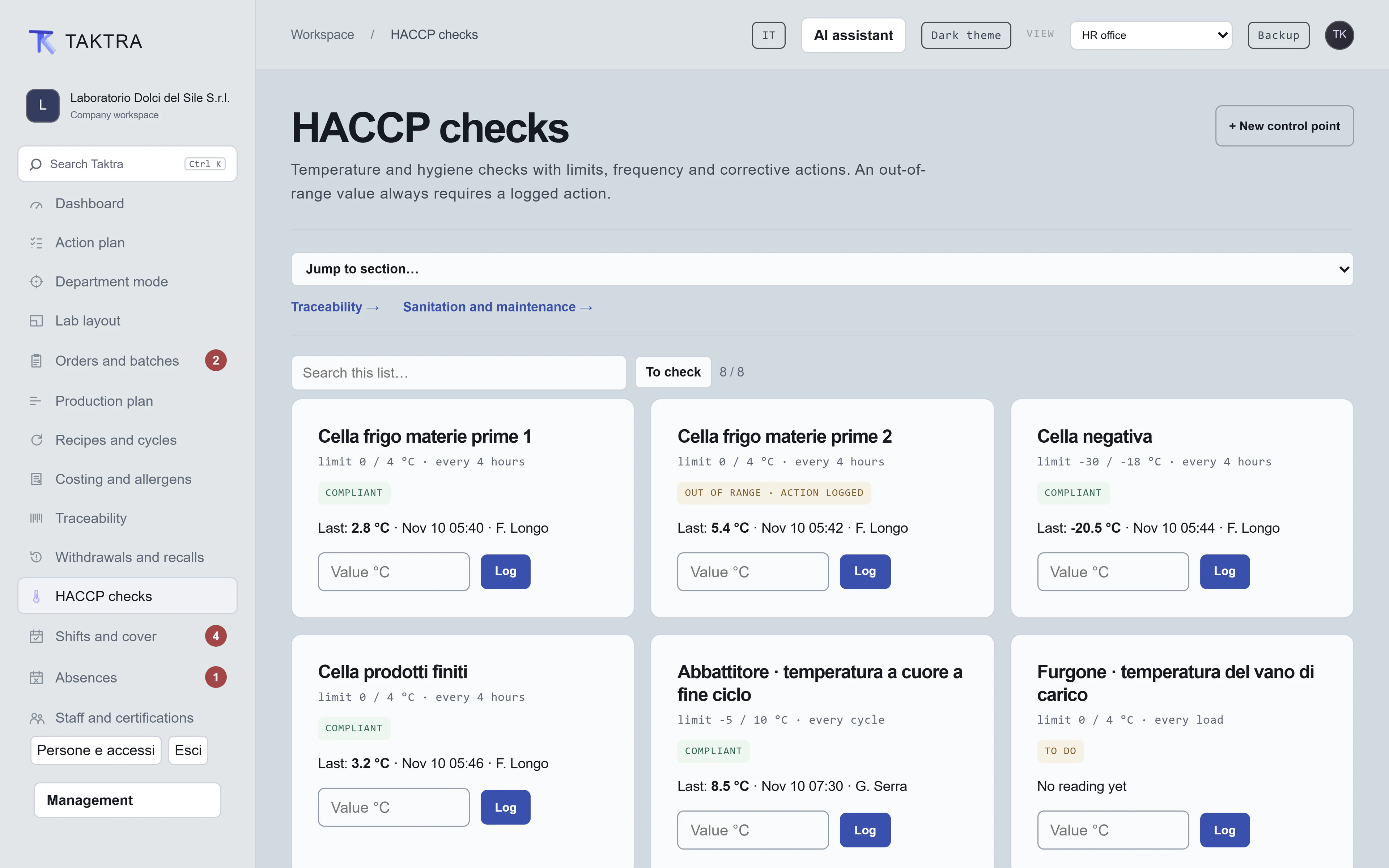
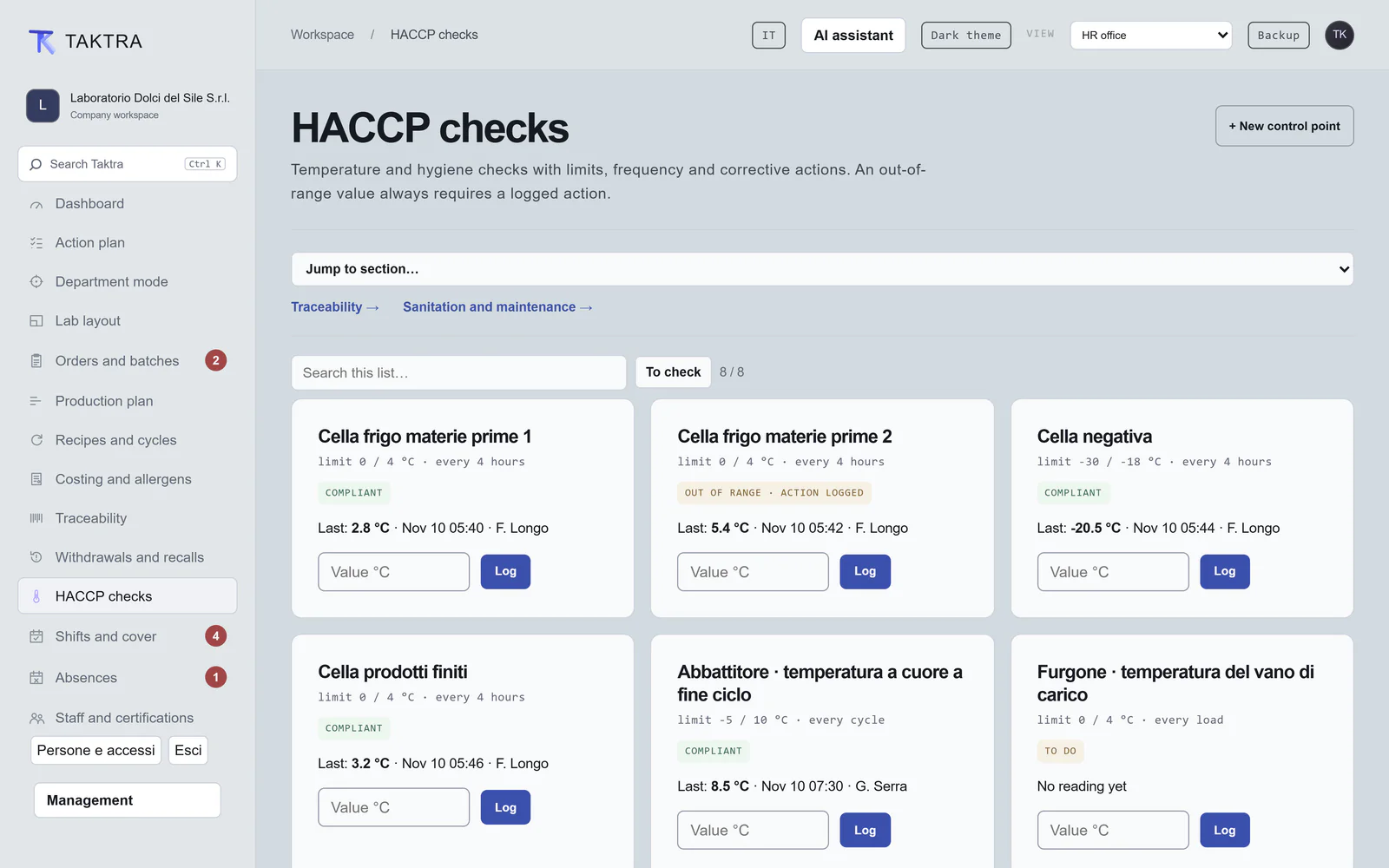
Temperatures and hygiene checks with limits, frequency and corrective actions: cold rooms, blast chiller, van, end-of-shift sanitation. An out-of-limit value always requires a recorded action.
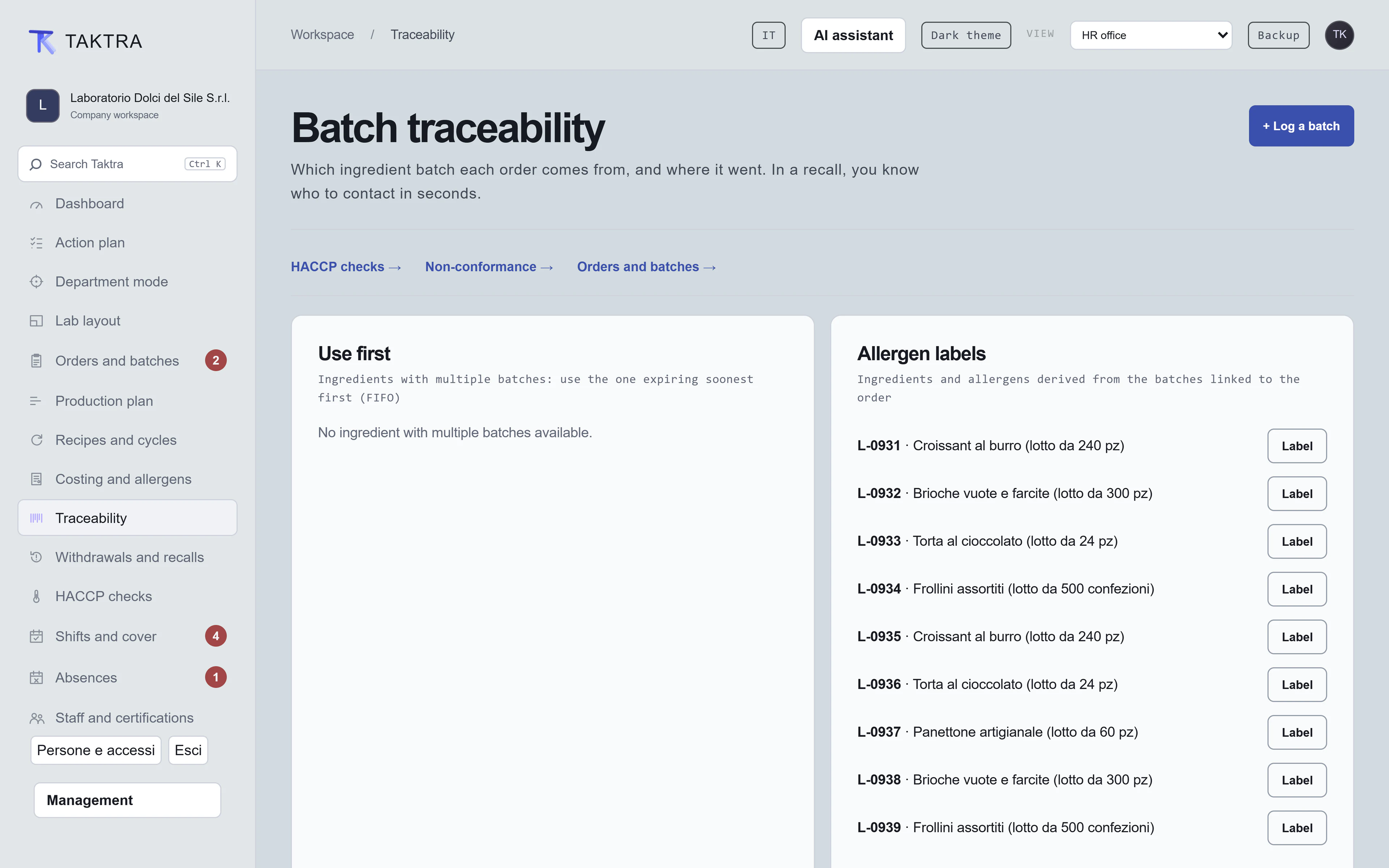
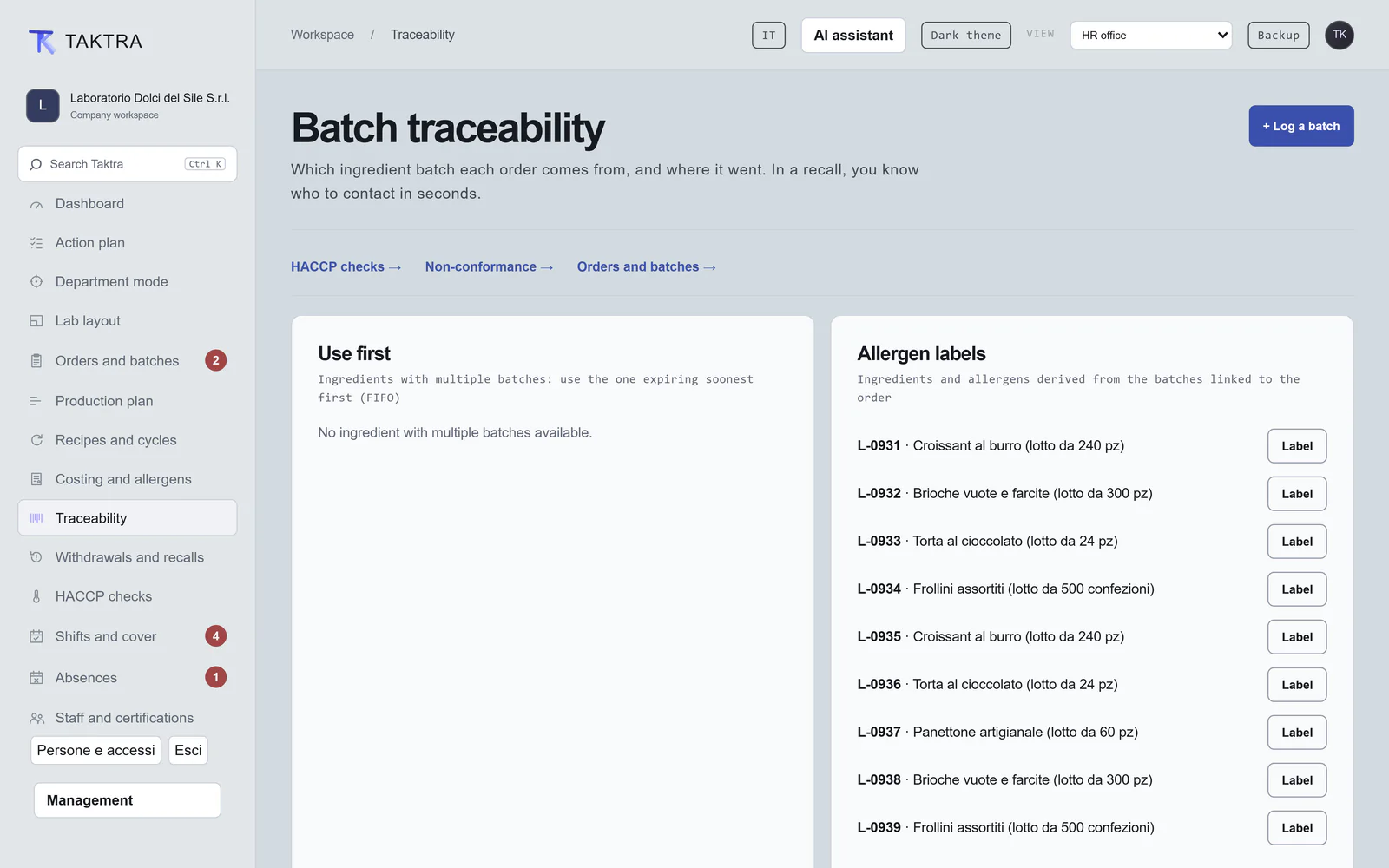
Which ingredient batch each order comes from, and where it went. In a recall you know at once whom to contact. With “Use first” and labels with allergens derived from the linked batches.
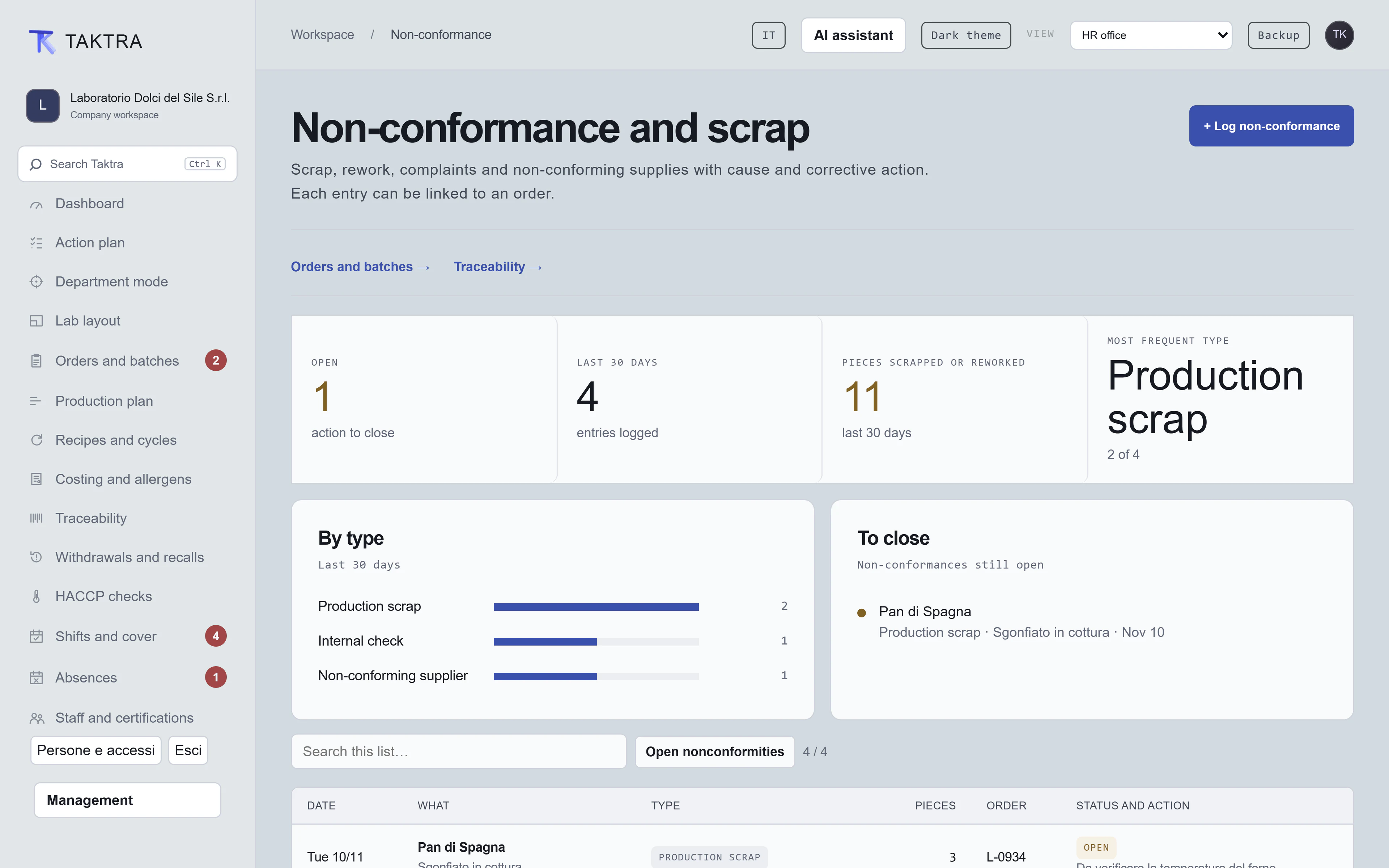
Production scrap, internal checks, complaints and non-conforming supplies, with cause and corrective action. Each entry can be linked to an order.
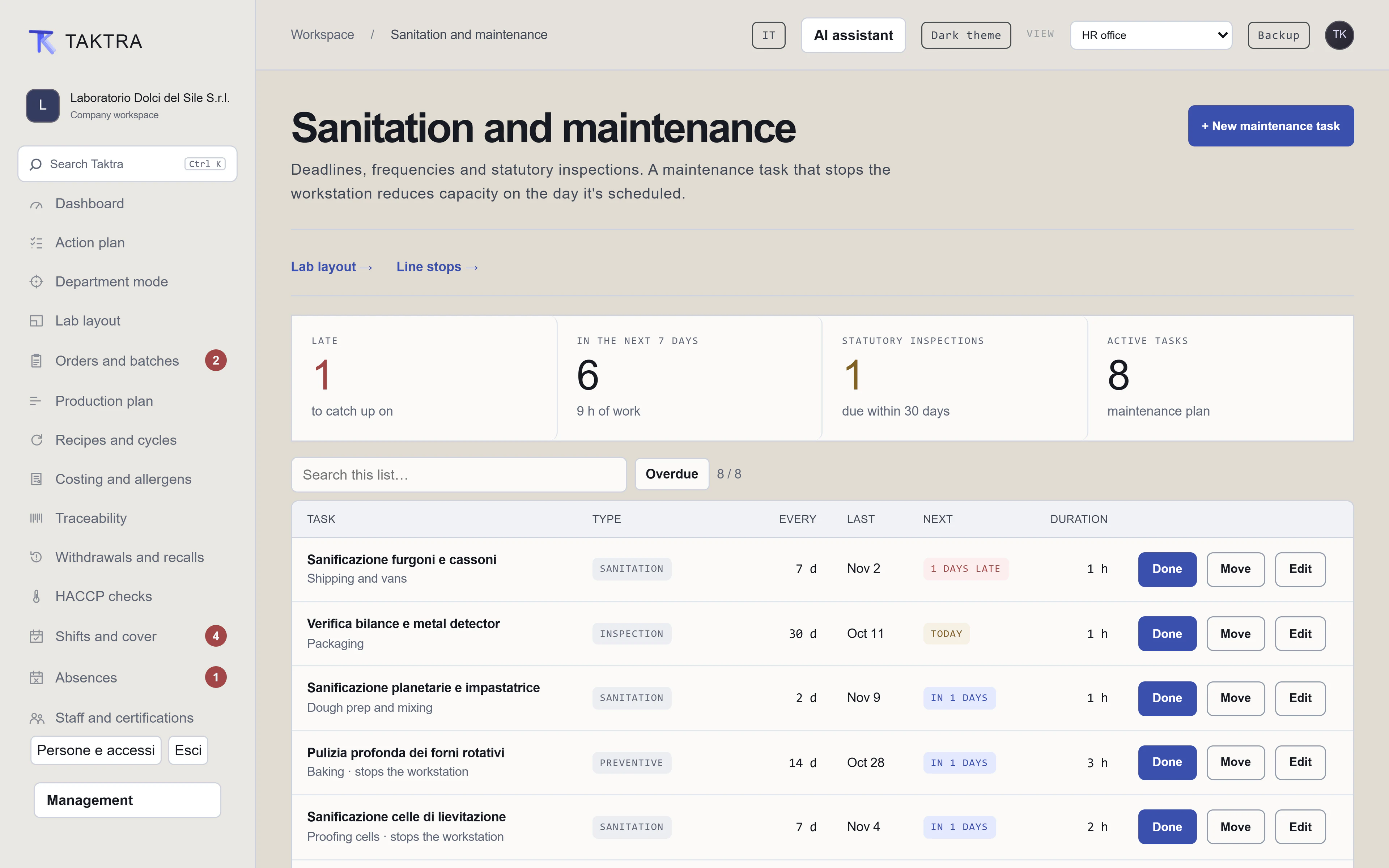
Due dates, frequencies and statutory inspections. Maintenance that stops a station reduces capacity on the day it is scheduled.
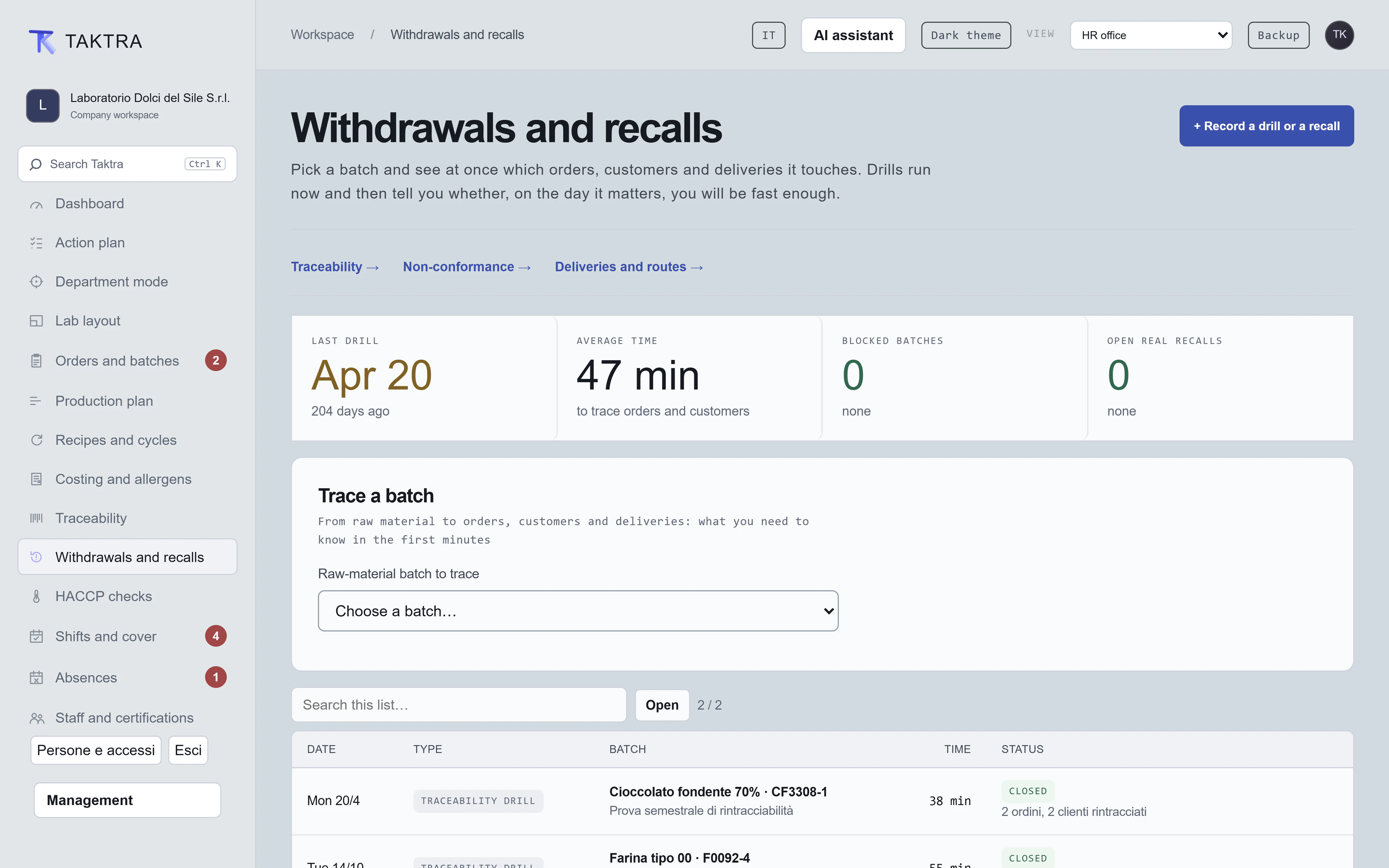
Pick a batch and see at once which orders, customers and deliveries it touches. Drills run now and then, with the time they took, tell you whether you will be fast enough on the day it matters.
Who is on the ovens tomorrow, and who is cleared to be there.
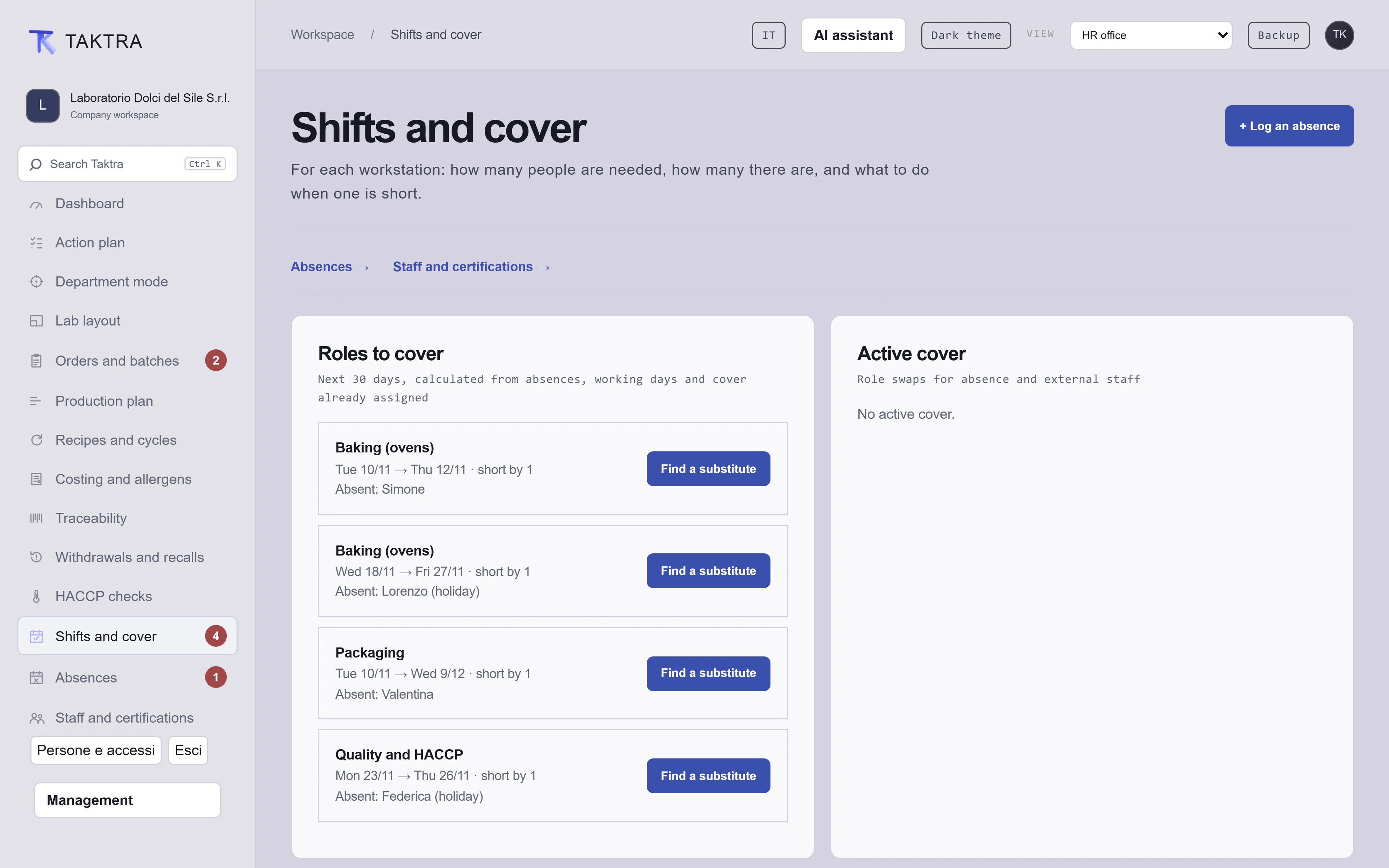
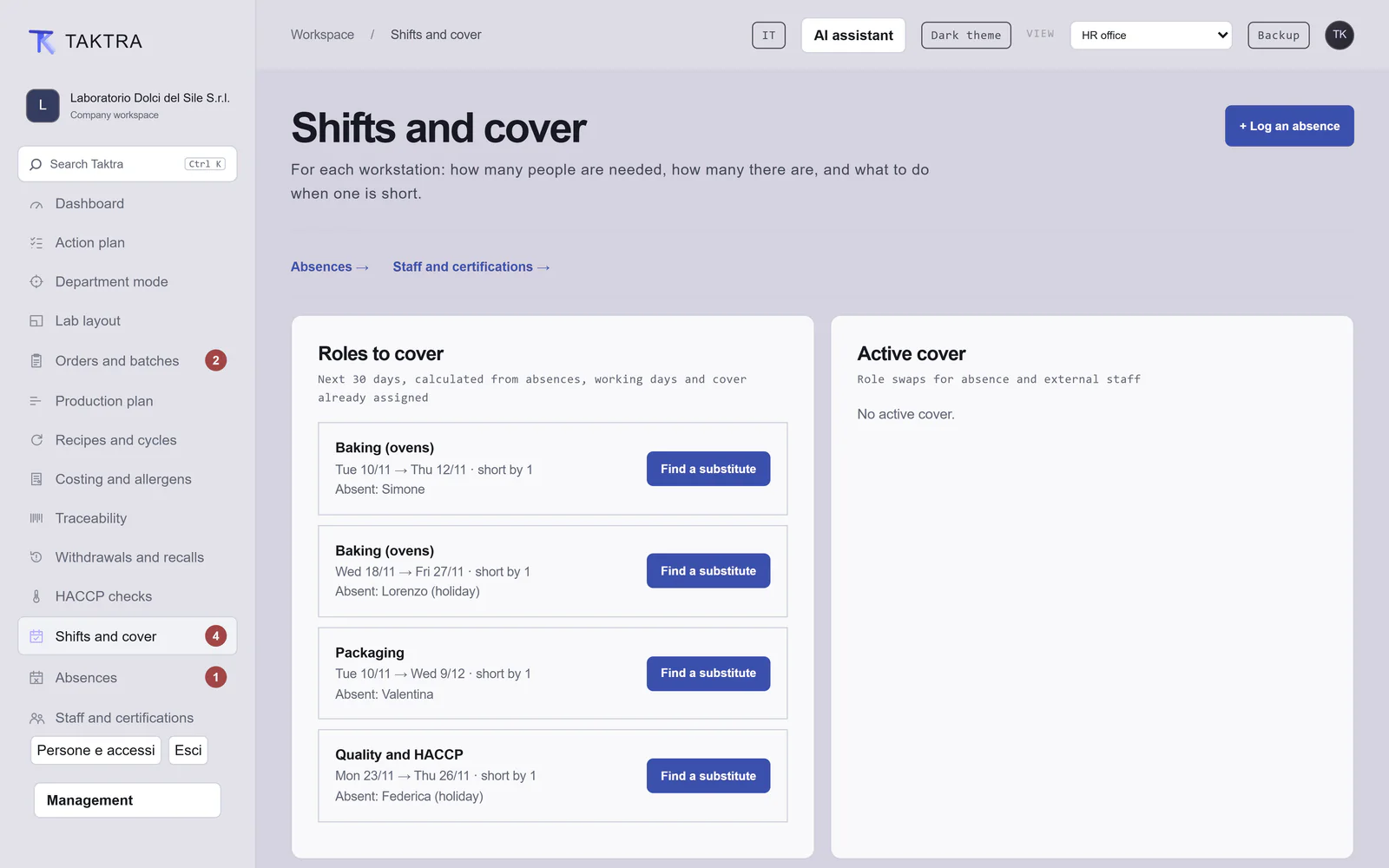
For every position: how many people are needed, how many there are and what to do when one is missing. Gaps over the next 30 days come with a “Find cover” button.
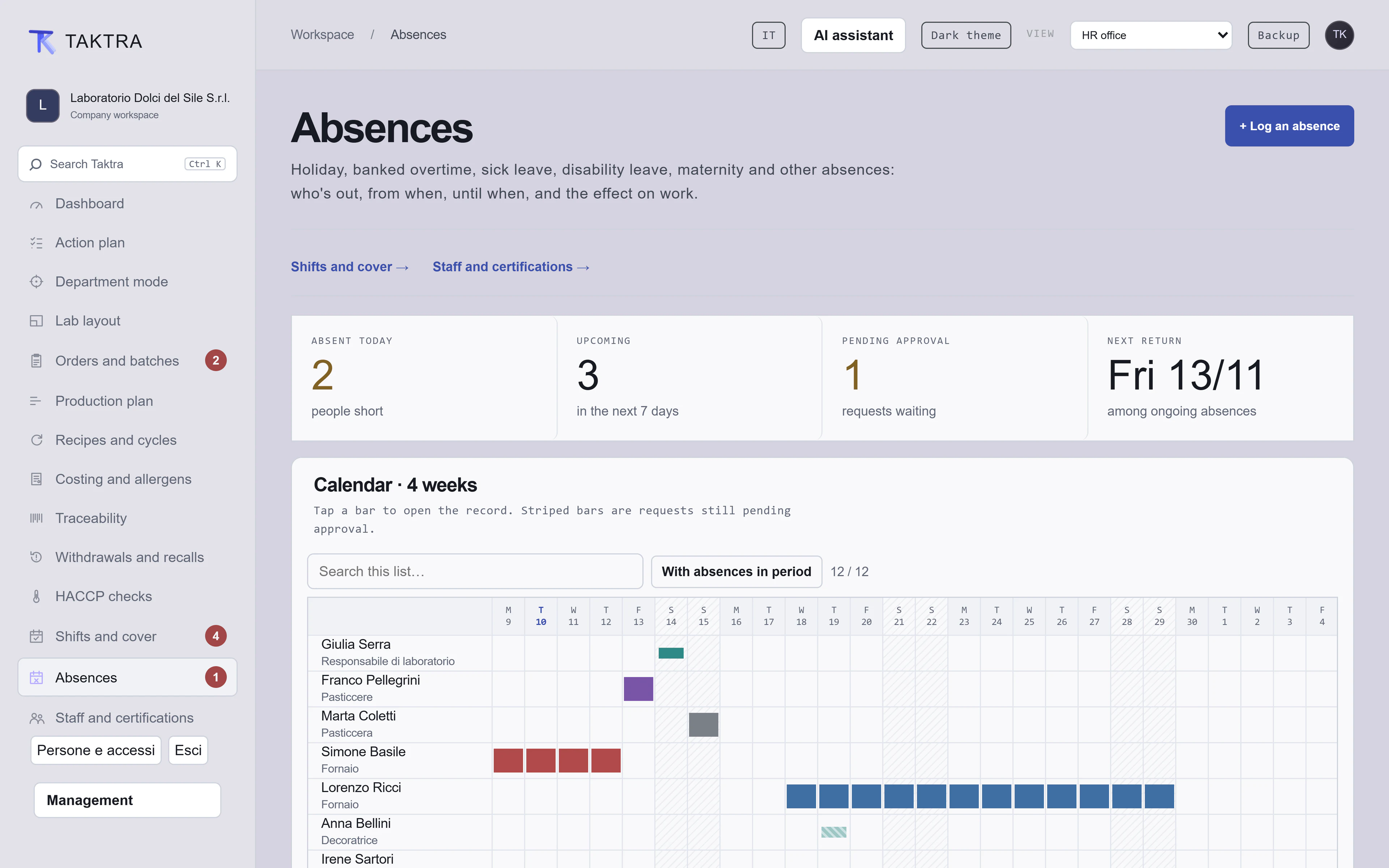
Holidays, leave and other absences on a four-week calendar, with requests still awaiting approval.
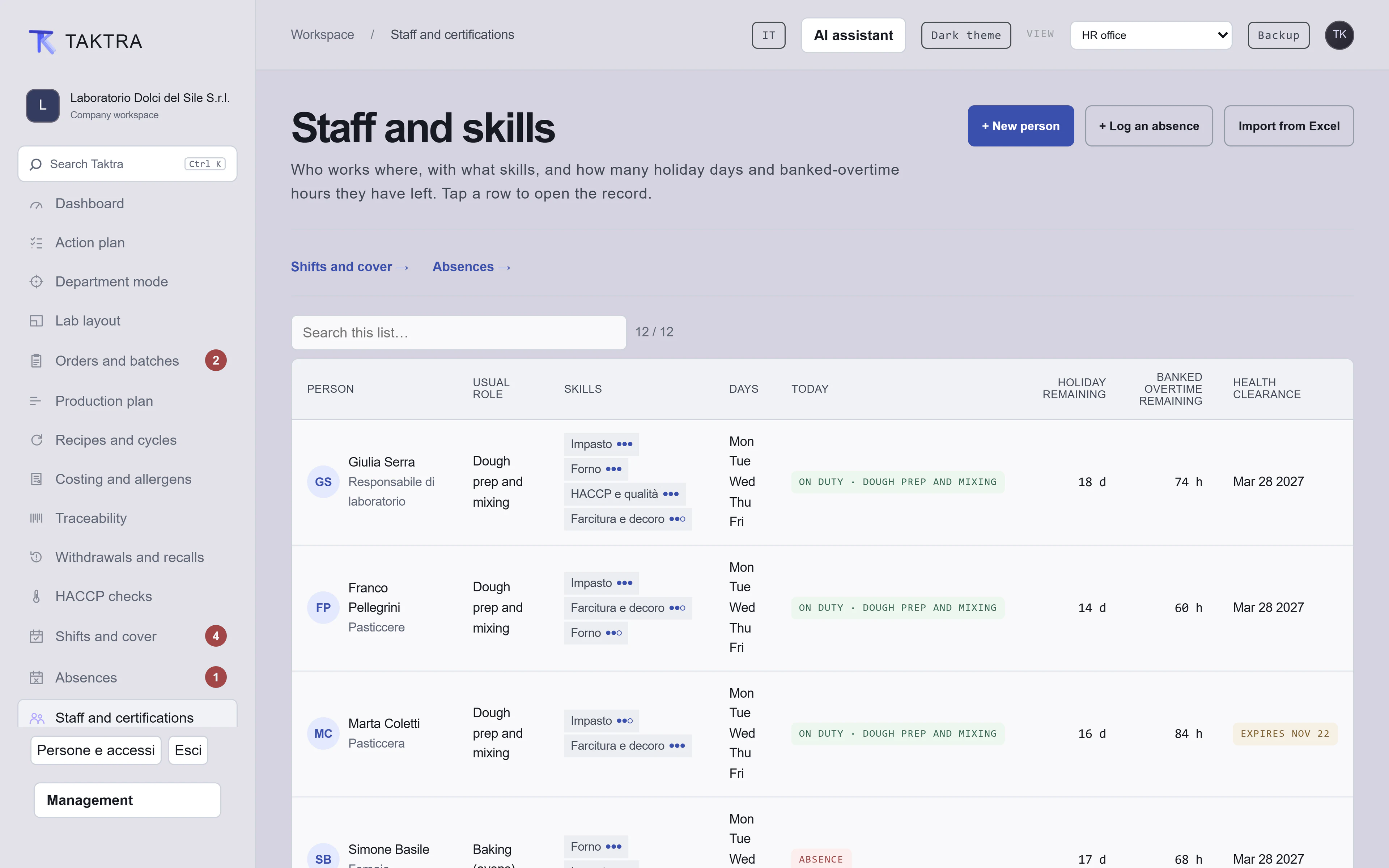
Who works where and with which skills, remaining leave and a health-certification column for each person.
The physical space and what stops it.
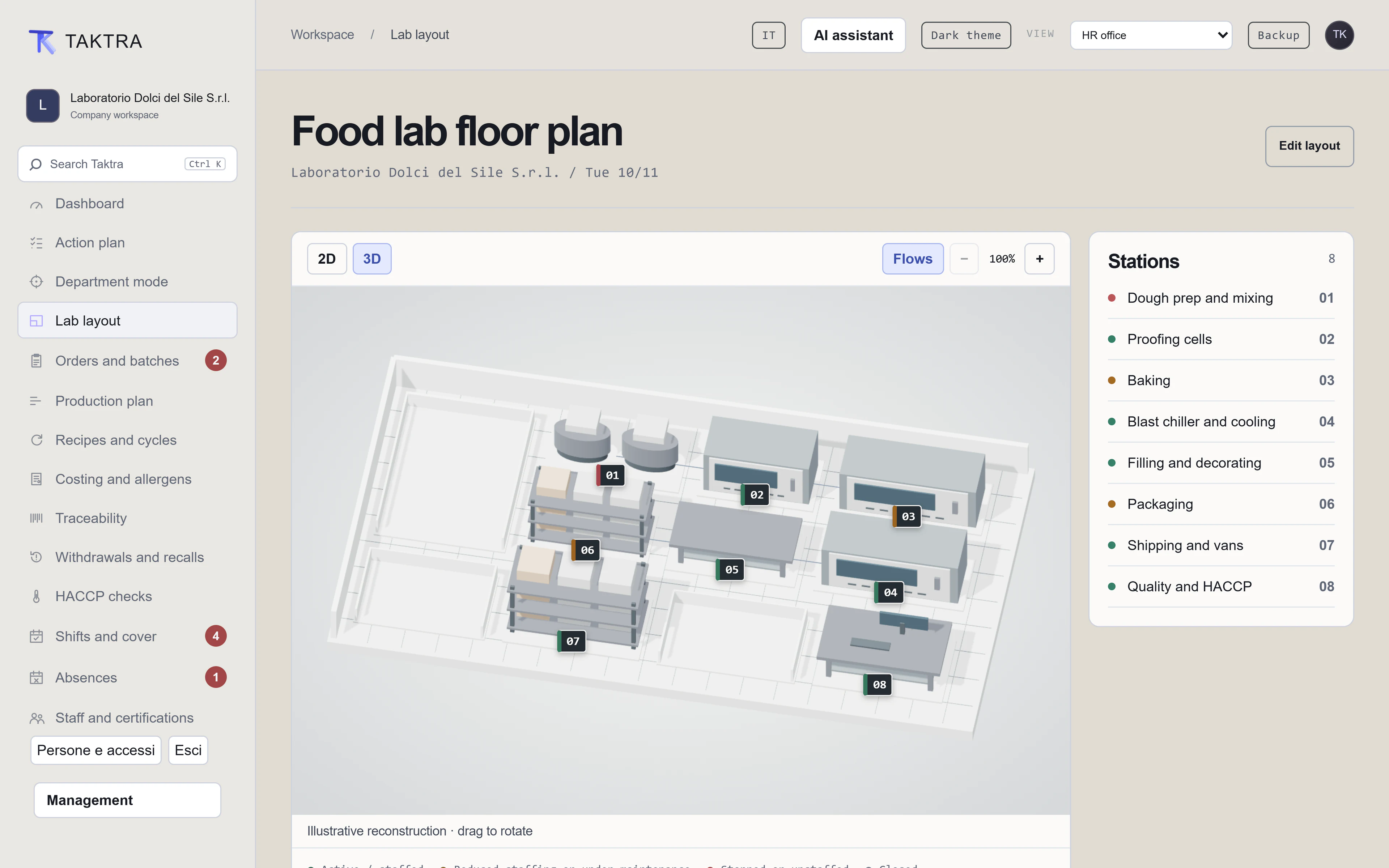
The lab floor plan in 2D, 3D or by flows: mixing, proving, baking, chilling, filling, packing, dispatch. Every station shows its status.
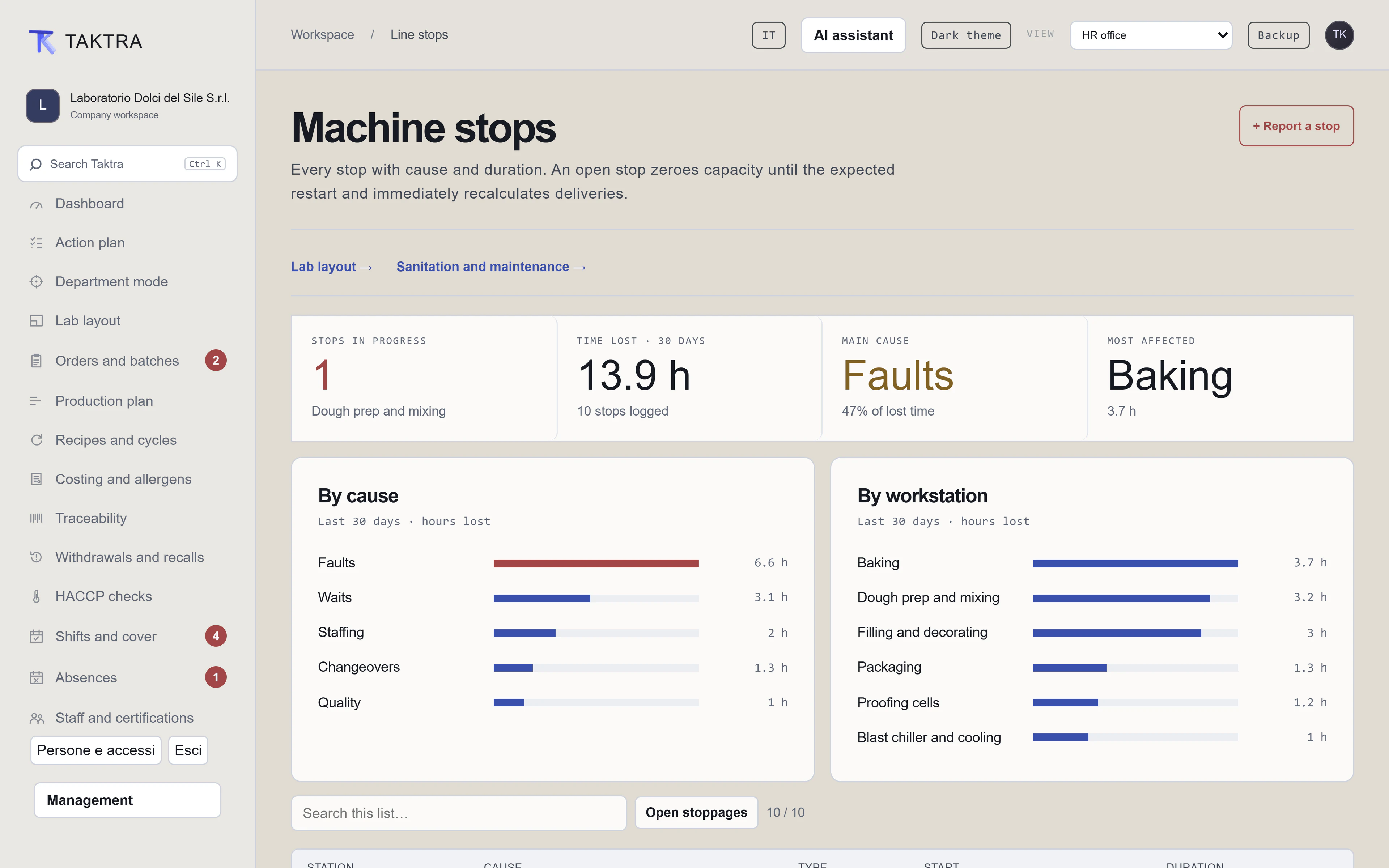
Every stoppage with cause and duration. An open stoppage zeroes capacity until the expected restart and recalculates deliveries at once.
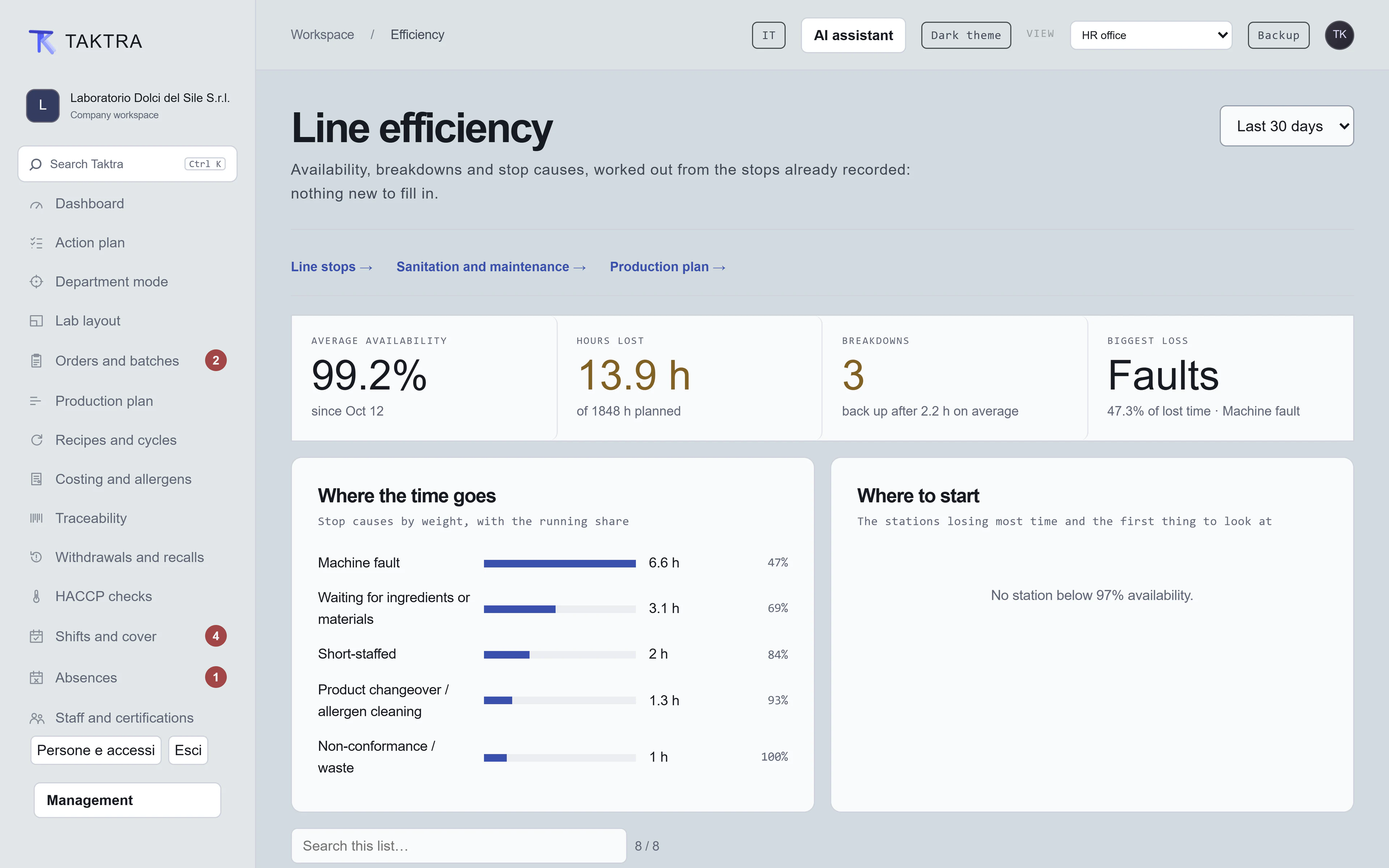
Availability, breakdowns and stop causes for every line over the last 7, 30 or 90 days, worked out from the stoppages already recorded: nothing new to fill in.
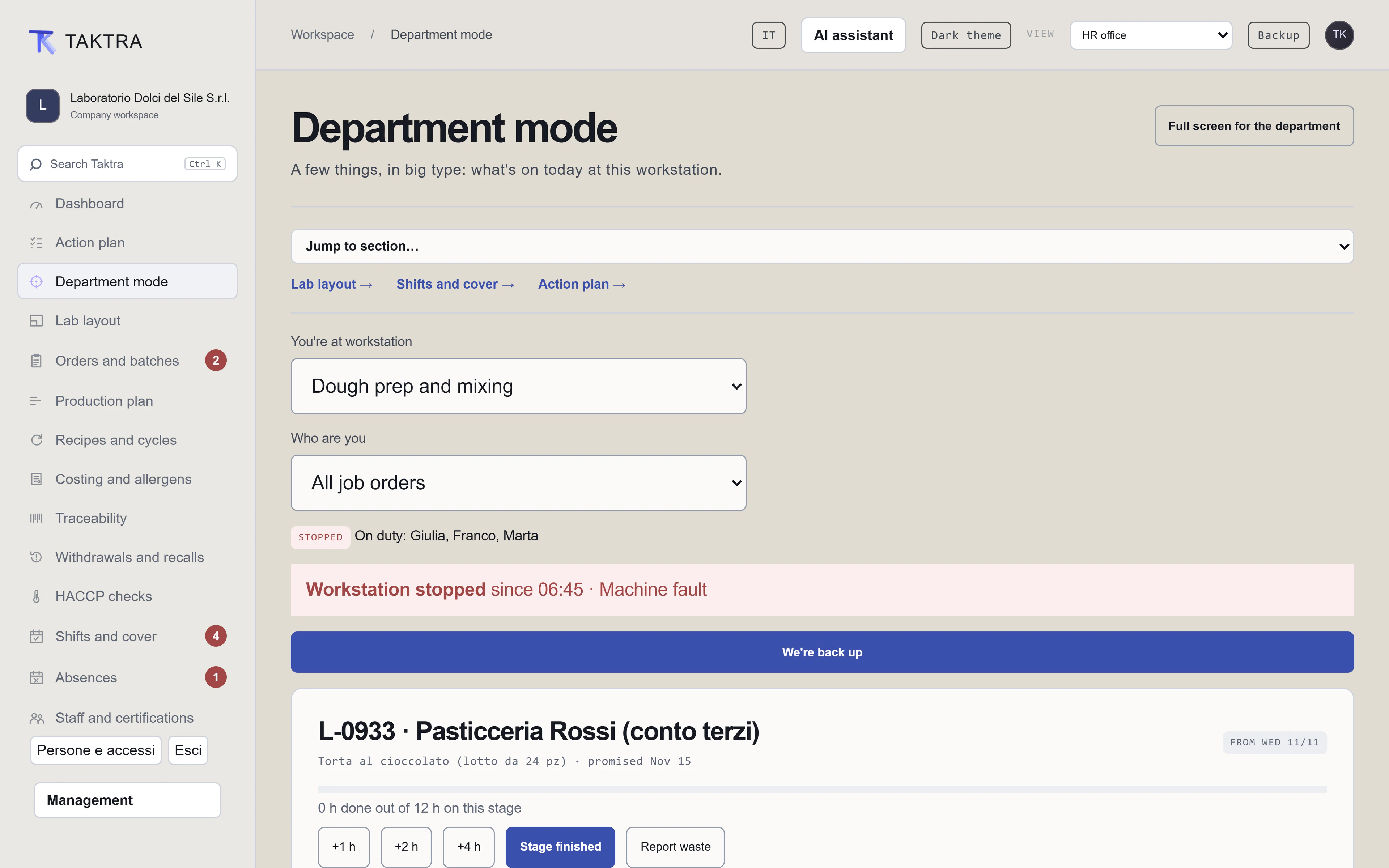
Full screen, in the lab: the day’s orders and the control points to record, without menus.
What leaves, what arrives, and how the lab is described.
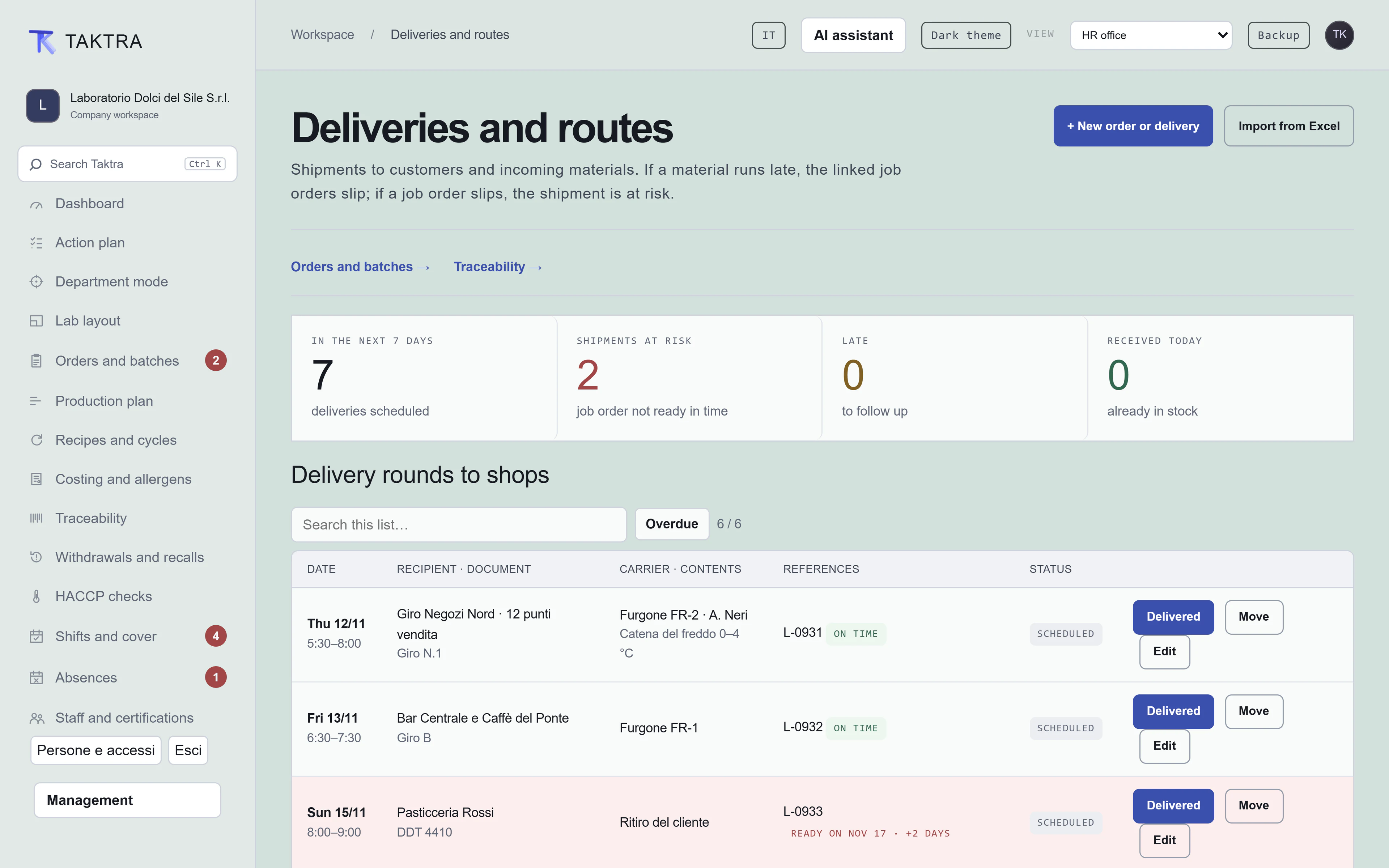
Delivery rounds to shops and incoming ingredients. If an ingredient is late, the linked orders slip; if an order slips, the shipment is at risk.
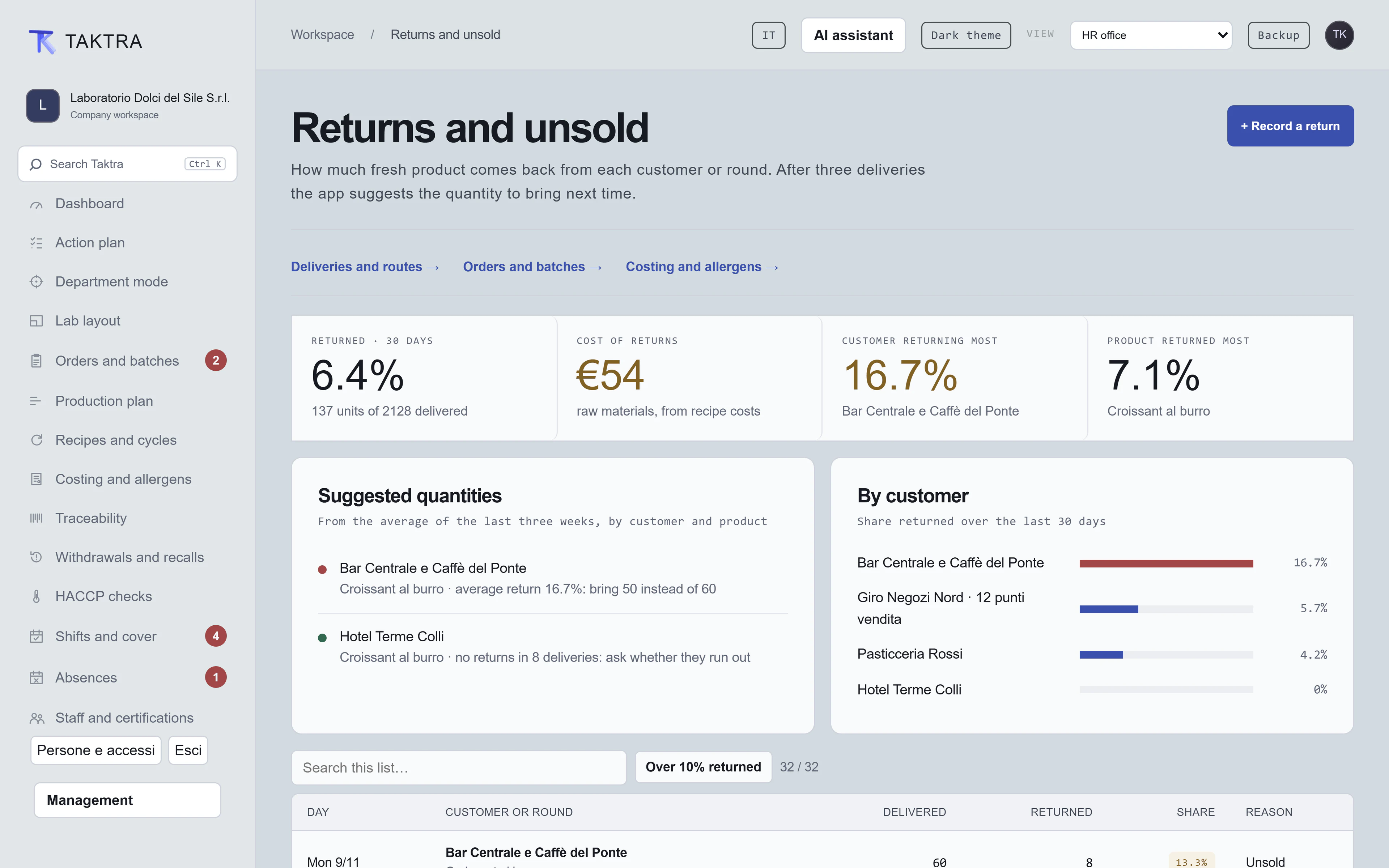
How much fresh product comes back from each customer or round, and what it costs in raw materials. After three deliveries the app suggests the quantity to bring next time.
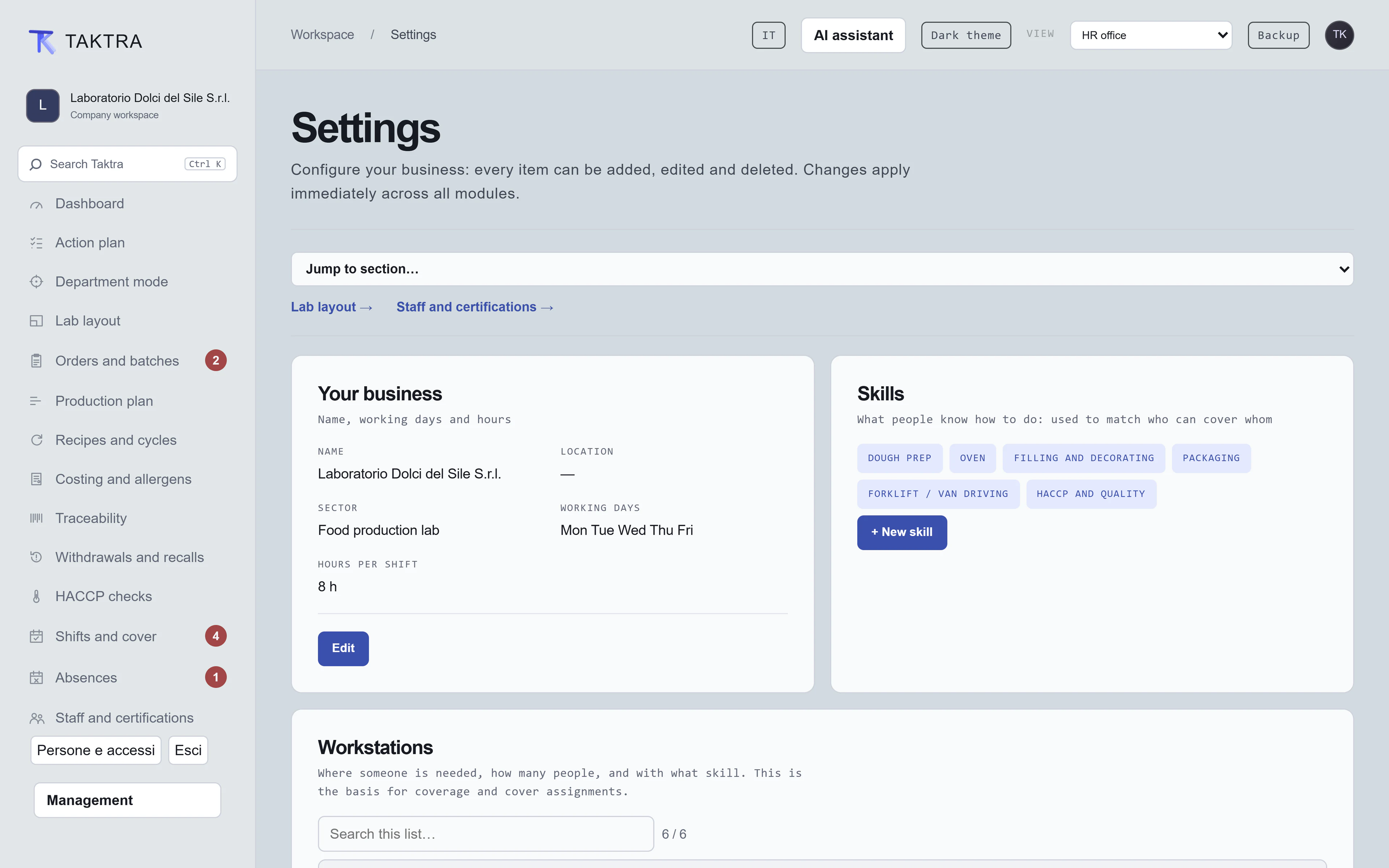
Skills, positions, lines and stations, recipes, HACCP control points, calendar and lists. Choose which modules to show and in what order.
Messages between office and lab, available with a Taktra online account.
Tap a screen to view it at full resolution. Screens show the app’s sample workspace.
A day with Taktra
With the sample workspace data: Laboratorio Dolci del Sile, eight stations, twelve people.
The dashboard also flags an expired batch of candied fruit still used in an order: that is the first thing to sort out.
You record the stoppage with its cause. Capacity at “Mixing and preparation” drops to zero until the expected restart and deliveries are recalculated.
Cold rooms, blast chiller and van each have their own limit and frequency. If a value is out of limit, a recorded corrective action is required.
“Roles to cover” shows where someone is missing over the next thirty days: you look for cover from there.
Seven deliveries in the next seven days, two shipments at risk because the order will not be ready in time. You know today, not tomorrow morning.
Your vocabulary
In a food lab job orders become orders and batches, cycles become recipes, and the modules a workshop does not have are added: HACCP, traceability, certifications.
| In general | In Taktra, for food production | What it is for |
|---|---|---|
| Work to deliver | Orders and batches | Progress, promise and expected date |
| The plan | Production plan | Operations by line, day by day |
| How a product is made | Recipes and cycles | Stages and hours per batch |
| Who covers positions | Shifts and cover | Gaps and substitutes |
| What stops | Line stops | Cause, duration, effect on deliveries |
| The checks | HACCP checks · Traceability | Limits, corrective actions, batches and allergens |
| What comes in and goes out | Deliveries and routes | Rounds to shops and incoming ingredients |
AI assistant
The assistant queries the lab’s data: batches, delays, cover, stoppages, deliveries. Write the question the way you would ask a colleague.
Sample question and answer, from the app’s sample data
The assistant answers only with your company’s data. Every proposal is read and confirmed by you. How it works
3D floor plan
It is the floor plan you get in the app: the stations, the state of each one and the flow of work. Drag to turn it and tap a station to see how it stands right now.
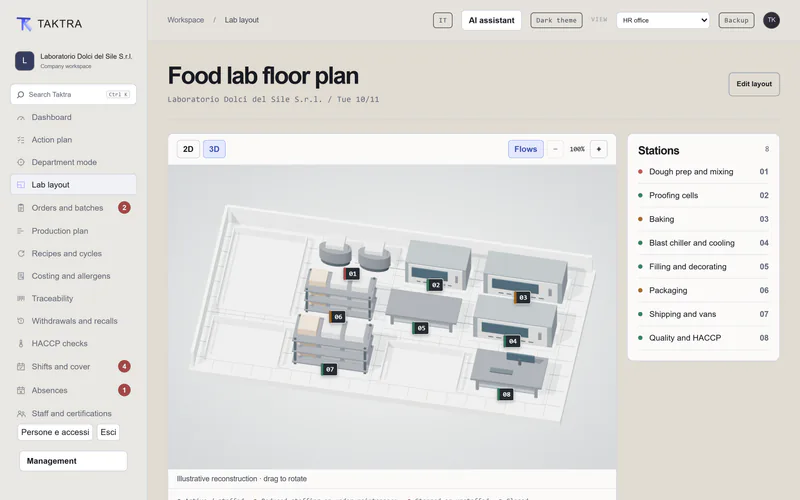
Illustrative reconstruction · drag to rotateApp screen · sample data
In the lab and in your pocket
Department mode puts the day’s orders and control points full screen. Everything else runs in the browser on computer, tablet and phone.
Frequently asked
Thirty days to see whether your team really uses it. Open Taktra in your browser, create your company and describe how you work.
No card needed to start: 30 days free, then you decide whether to subscribe.
Taktra’s virtual assistant
It answers by voice or in writing and, if you like, takes your details: then a member of our team writes to you. It is an AI, not a person.
When you open it, the conversation goes through ElevenLabs, which handles it on Taktra’s behalf. Privacy notice